
1.1 Configuring the PRIME Stack
The PRIME Stack configuration is centralized in the component with the same name. Depending on the type of PRIME node, the configuration options differ. The default configuration is for a Service Node application.
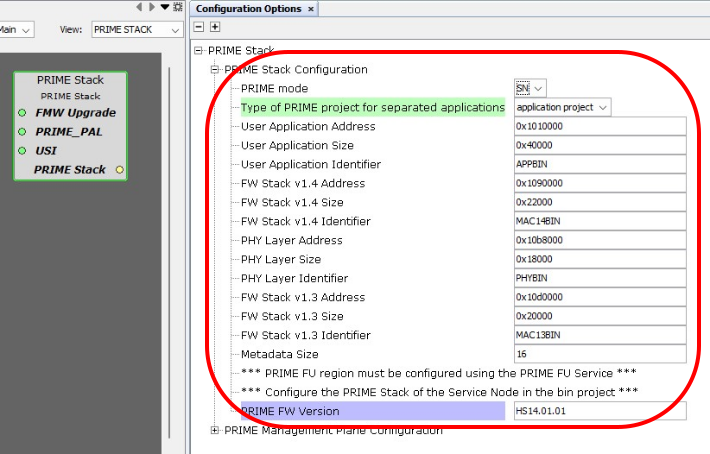
PRIME Mode
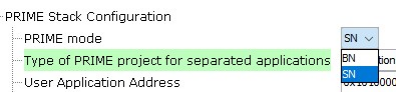
PRIME nodes can be configured to be Base Node (BN) or Service Node (SN) in the network, according to the PRIME specification. Further configuration options depend on the selected PRIME mode.
Type of PRIME Project for Separated Applications
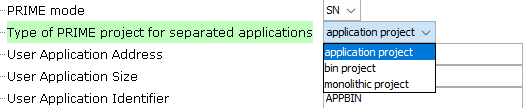
The Service Node has been implemented in separated software modules to allow an easy handling of the firmware upgrade. Therefore, two types of applications are required:
- application project: This application contains a PRIME Stack with only the PAL module and communicates with the PRIME library through the PRIME API. It also includes all necessary H3 services, drivers and hardware peripherals, whose interfaces are mapped to the HAL API required by the PRIME Library. This would be the user application.
- bin project: This application contains the PRIME Library, with the PRIME API stored at an specific location (prime_api pointer).
It is also possible to select a monolithic project, that is, one non-separated project which contains the whole PRIME Stack together with the user application in only one binary. However, a firmware upgrade of this kind of architecture is not supported. The main purpose of this action would be to debug. Currently, Microchip only provides support for separated applications.
For additional information about the applications, refer to the smartenergy_prime_apps repository.
PRIME Firmware Upgrade Configuration
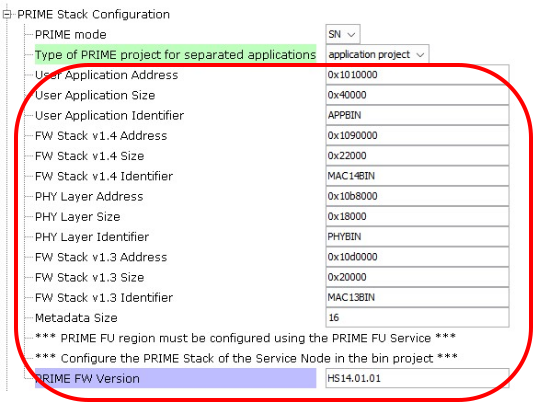
- the sizes and addresses of the software modules that can be upgraded
- the identifiers of the software modules that can be upgraded, with a maximum metadata size
For additional information about the handling of the firmware upgrade, refer to the File Transfer Service for Firmware Upgrade in the Service Node.
PRIME Version

The current version of the PRIME specification is 1.4, but Microchip also supports version 1.3.6. This parameter allows to select the version to run.
PRIME FW Version Information
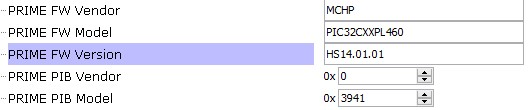
In the PRIME Library, the first 20 bytes contain the Vendor, Model and Version information corresponding to this library. These metadata are useful to identify and control which PRIME library is being used.
| Attribute | Definition | Format |
|---|---|---|
| PRIME_FW_VENDOR | Vendor name, e.g., MCHP | ASCII. Maximum 16 bytes. |
| PRIME_FW_MODEL | Product name, e.g., PIC32CXXPL460 | ASCII. Maximum 16 bytes. |
| PRIME_FW_VERSION | Version identifier as defined in PIB 0x0075 (PIB_MAC_APP_FW_VERSION), e.g., HS14.01.01 | Numerical, ASCII recommended. Maximum 16 bytes. |
| PRIME_PIB_VENDOR | Vendor name as defined in PIB 0x0076 (PIB_MAC_APP_VENDOR_ID), e.g., 0x0000 | Numerical, two bytes size. This value is assigned by the PRIME Alliance. |
| PRIME_PIB_MODEL | Product name as defined in PIB 0x0077 (PIB_MAC_APP_PRODUCT_ID), e.g., 0x3941 | Numerical or ASCII, two bytes size. |
Enable BN Slave
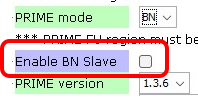
In PRIME v1.3.6, apart from Base Node and Service Node, an Auxiliary Node or Base Slave Node is defined to be used in multi-transformer substations. The Base Slave Node is a monolithic Service Node where the communication with the Base Node takes place using the Serial PHY layer.
Note that this parameter can only be configured when the PRIME mode is BN and the PRIME version is 1.3.6.
RTOS Settings
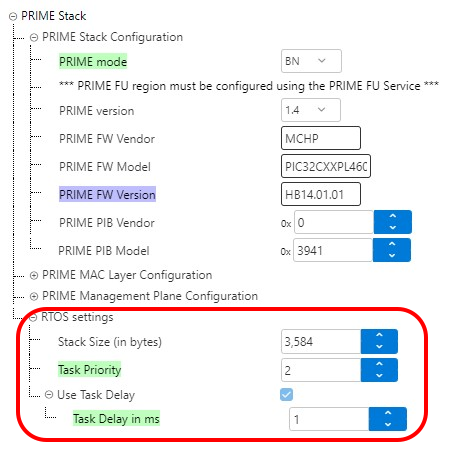
The Base Node can be managed with an operating system when the corresponding Harmony module has been added into the application.
For additional information about the applications, refer to the smartenergy_prime_apps repository.
- the task priority for PRIME
- the task delay in milliseconds