It may occur that so-called “Compatibility Warnings” arise. In this case they need to be fixed,
otherwise libraries cannot be applied.
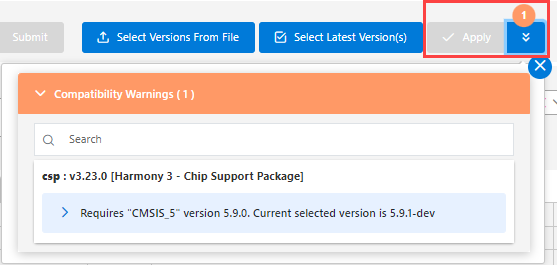
An example of such a warning is shown below.
Warnings are indicated by a number. Via the down arrows the “Compatibility Warnings”
sections can be opened, giving details on the respective item.
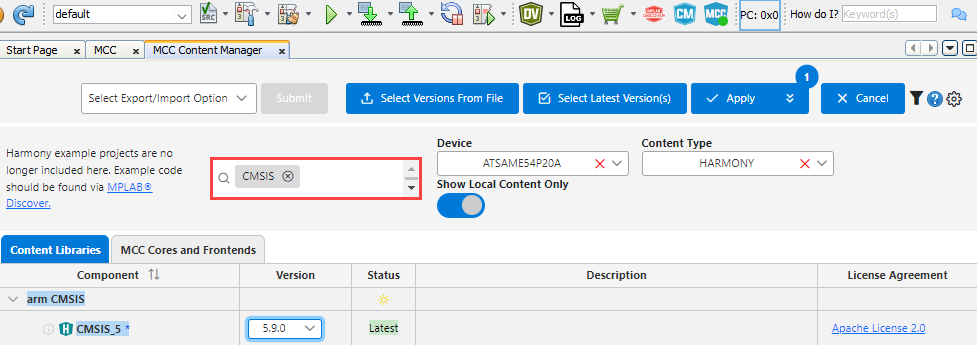
To resolve this warning, enter in the search field “CMSIS”, which then will show up the
latest version in the Component section.
Subsequently, the Apply button becomes active and you can apply the library.
The online versions of the documents are provided as a courtesy. Verify all content and data in the device’s PDF documentation found on the device product page.