1.9.3 OTA Bootloader Configurations
Bootloader Specific User Configurations
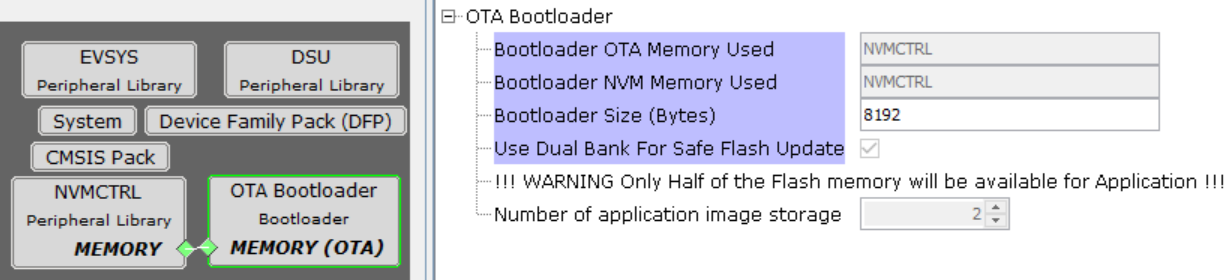
OTA Bootloader Configurations - Dual Bank
OTA Bootloader Configurations - External Memory
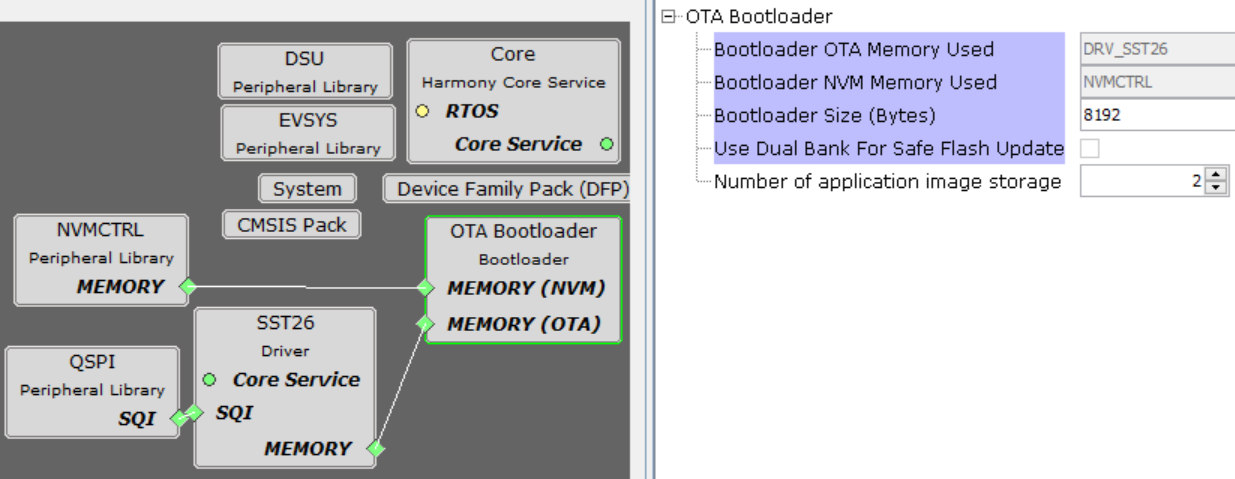
Bootloader OTA Memory Used:
- Specifies the Serial memory driver/NVM Peripheral Library used by bootloader to receive the application
- The name of the serial memory/NVM Peripheral will vary based on the driver/Peripheral Library connected to bootloader
Bootloader NVM Memory Used: (For External Memory):
- Specifies the memory peripheral used by bootloader to perform Flash operations
- The name of the peripheral will vary from device to device
Bootloader Size (Bytes):
- Specifies the maximum size of Flash required by the bootloader
- This size is calculated based on Bootloader type and Memory used
- This size will vary from device to device and should always be aligned to device erase unit size
Use Dual Bank For Safe Flash Update:
- Used to configure bootloader to use Dual banks of device to upload the application
- This option is visible only for devices supporting Dual Flash banks
Number of application image storage:
- Specifies the Number of application image can be stored into memory by the bootloader (For dual bank: 2, For external memory: Range 1 to 15)
Bootloader System Configurations
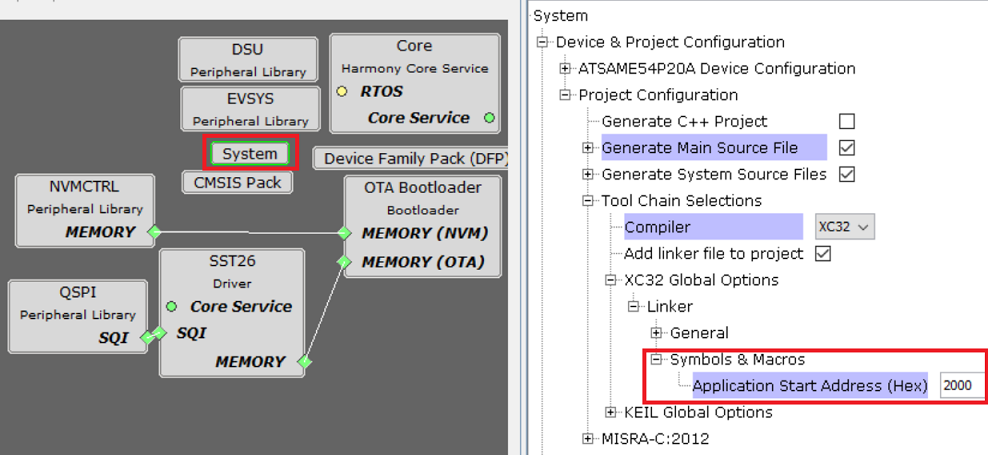
- Application Start Address (Hex):
- Start address of the application which will programmed by bootloader
- This value is filled by bootloader when its loaded which is equal to the bootloader size. It can be modified as per user need.
- This value will be used by bootloader to Jump to application at device reset
Bootloader MPLAB X Settings
- As the Serial memory/Dual Bank may not have any valid binary required by bootloader for the first time. Adding the application to be bootloaded as loadable allows MPLAB X to create a unified hex file and program both these applications in their respective memory locations.
- By doing this, at first bootup bootloader directly jumps to application as the serial memory/Dual Bank does not have any valid binary
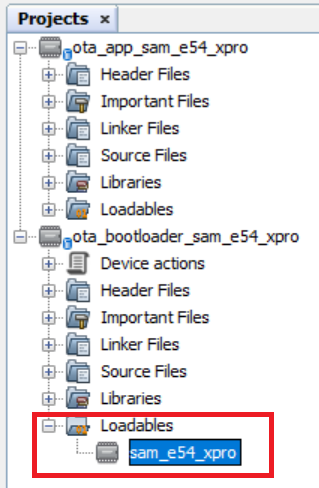
For Cortex-M Based Dual Bank Devices
- User can generate an additional inactive bank bootloader hex file through post build command in the OTA bootloader project. Then it will be used by hex_merge.py python script (refer to the OTA Bootloader Host Script Help) to combine unified HEX file (for Bootloader and application in active bank) and bootloader inactive bank HEX file (for Bootloader in inactive bank).
${MP_CC_DIR}/xc32-objcopy --change-address 0x80000 ${DISTDIR}/${PROJECTNAME}.${IMAGE_TYPE}.hex ${DISTDIR}/${PROJECTNAME}.${IMAGE_TYPE}_inactive_bank.hex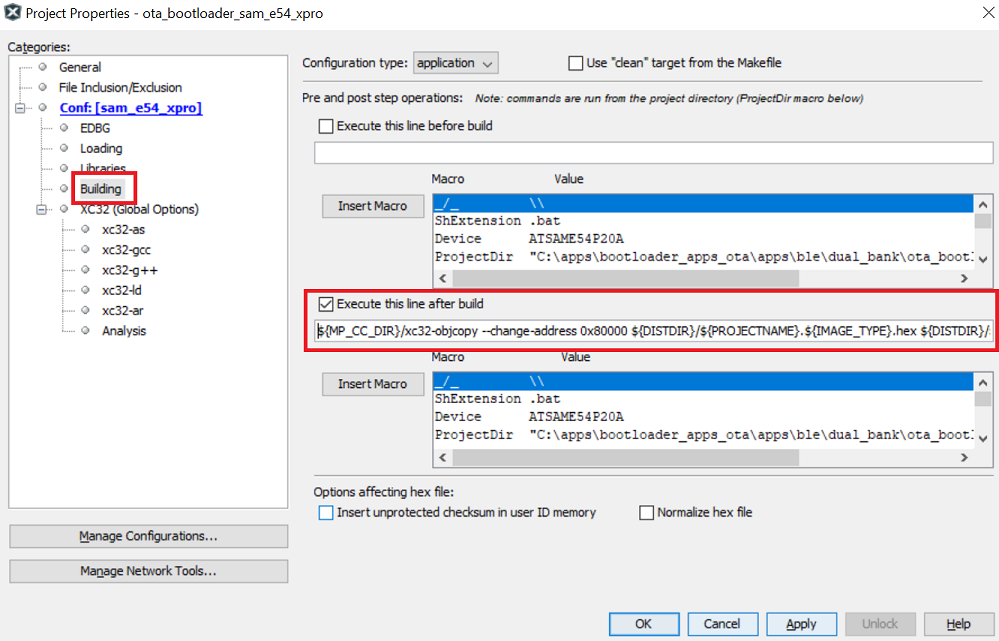
For MPUs (Microprocessors)
Bootloader Specific User Configurations
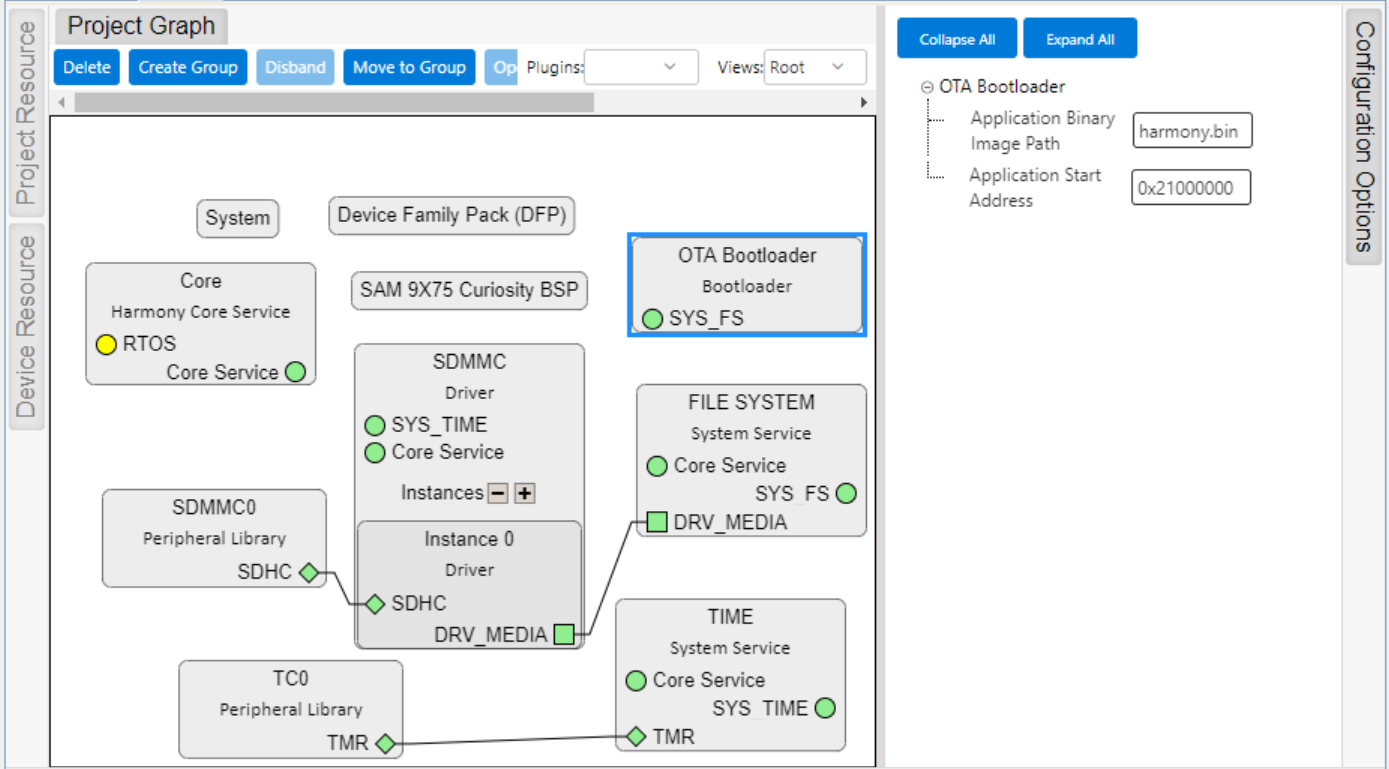
Bootloader with SD/eMMC media
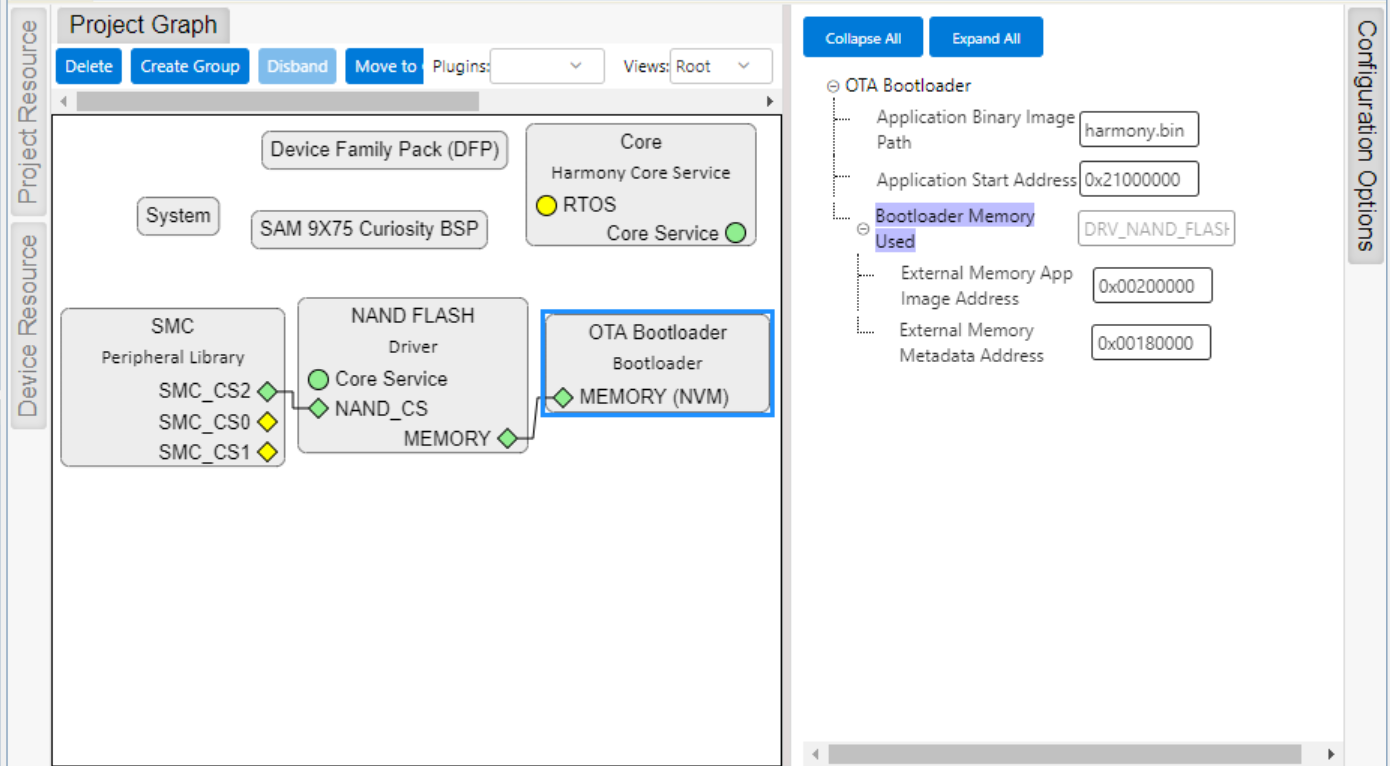
Bootloader with NAND Flash media
Bootloader with Serial Flash media
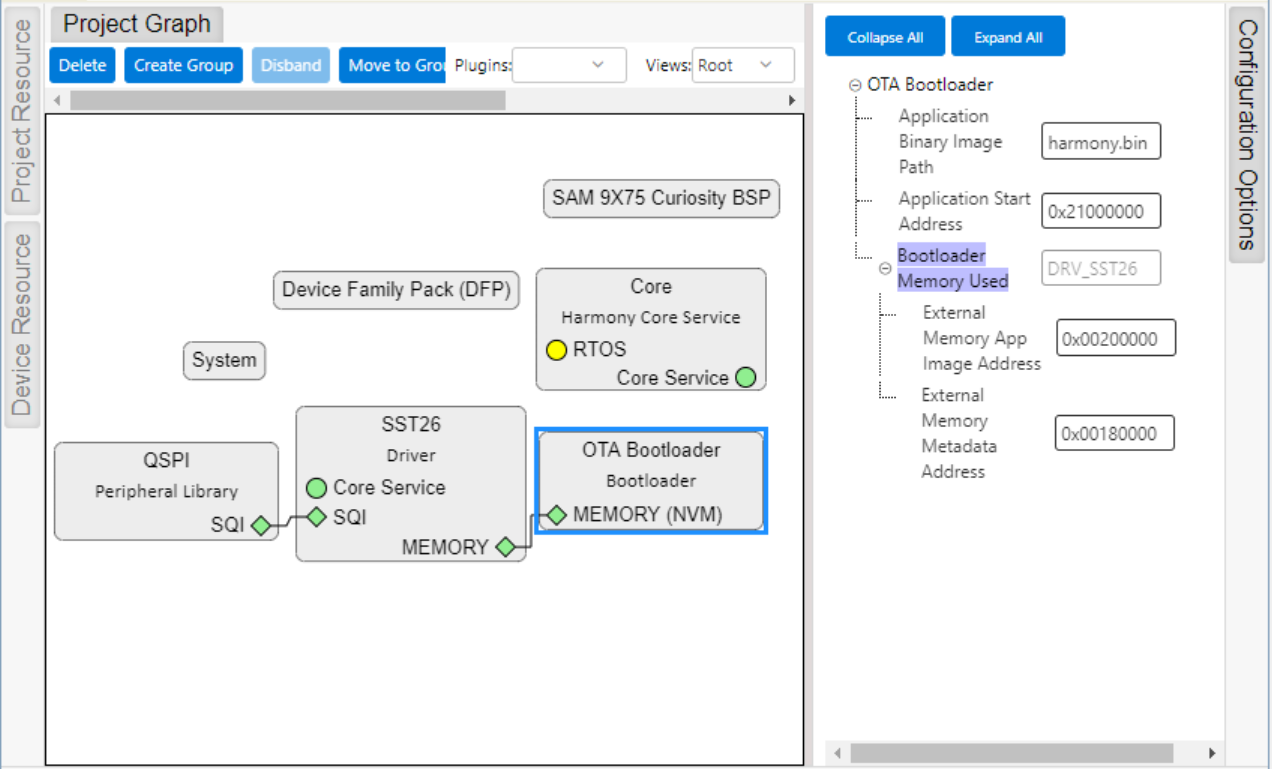
Application Binary Image Path:
- Application binary image name harmony.bin (by default)
Application Start Address (Hex):
- Start address of the application on which bootloader will load and execute application
- This value will be used by bootloader to load and jump to application at device reset
Bootloader Memory Used (For Serial/NAND Flash):
- Specifies the Flash Driver used by bootloader to receive the application
- The name of the Flash Driver will vary from device to device
External Memory App Image Address (Hex)(For Serial/NAND Flash):
- External Memory App Image Address (0x00200000) on which bootloader will program the application image
- This value will also be used by bootloader to load the application from external memory to the DDR memory and execute it.
External Memory Metadata Address (Hex)(For Serial/NAND Flash):
- External Memory Metadata Address (0x00180000) on which bootloader will program the size of application binary
- This value will be used by bootloader to read the application image from external memory
MPLAB X Settings (For MPUs)
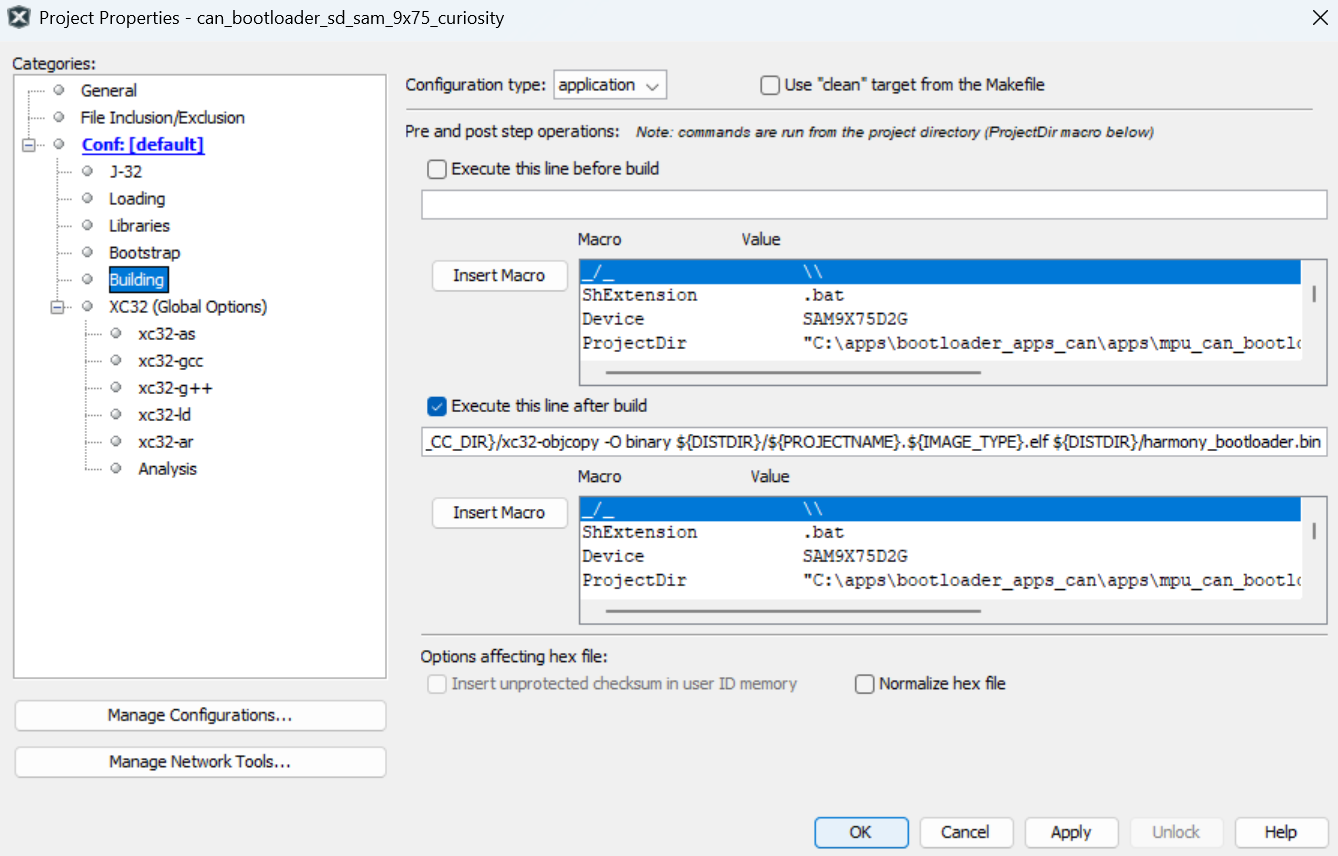
- Specifying post build option to automatically generate the Harmony 3 bootloader binary file from ELF file once the build is complete
${MP_CC_DIR}/xc32-objcopy -Obinary ${ImageDir}/${ConfName}.X.${IMAGE_TYPE}.elf ${ImageDir}/harmony_bootloader.bin