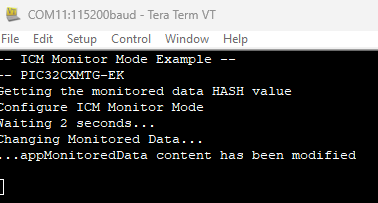
3.2.2 Harmony 3 ICM Monitor Mode Example
This topic provides instructions and information about the MPLAB Harmony 3 ICM monitor mode demonstration application, which is included in the MPLAB Harmony Smart Energy Metrology Applications distribution.
Description
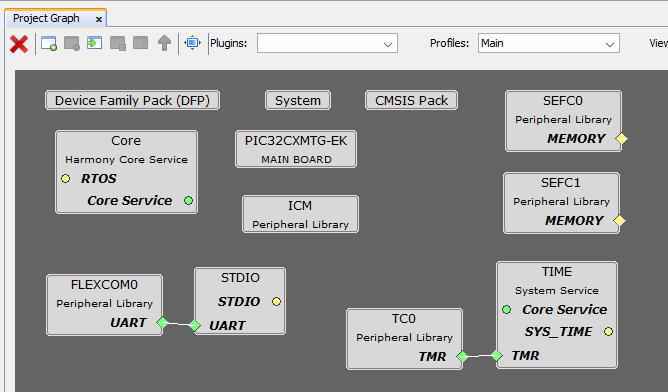
Harmony MCC Component Blocks
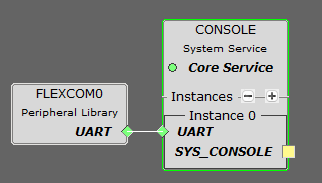
The virtual COM Port interface is enabled to provide an output console.
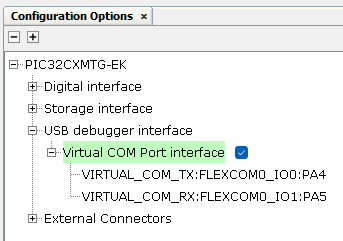
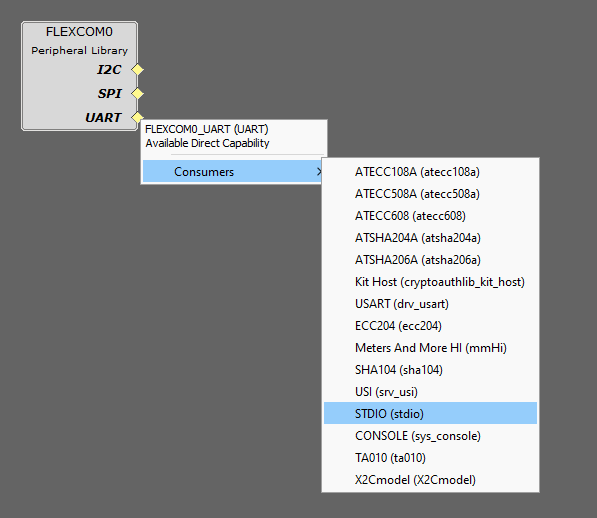
When enabling the Virtual COM Port interface, the SYS_CONSOLE is automatically loaded and connected to the FLEXCOM0 peripheral library. However, the application is designed to use the standard input/output service, so the SYS_CONSOLE service must be deleted and replaced by the STDIO service.
The TIME system service is required to be added to the Project Graph because the application launches a 2 seconds timer to simulate the corruption of the monitored data.
Harmony ICM Code Configuration Options
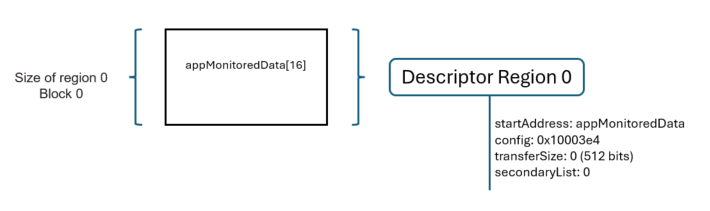
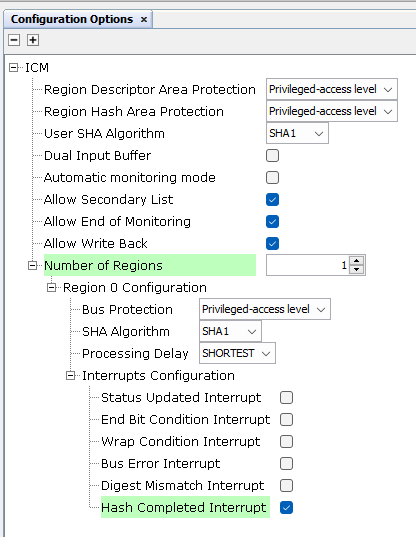
The ICM peripheral library is configured to enable just one memory region.
- The aim of the first step is to obtain the hash value of the memory region to be monitored.
- Once the hash value has been written in the ICM hash area, the second step is used to configure and start the monitor mode.
Since the first stage of the application is focused on getting the hash value, the Region Hash Completed interrupt must be enabled in the region 0 configuration.
Building the Application
This section identifies the MPLAB X IDE project name and location and lists and describes the available configurations for the demonstration.
The parent folder for these files is smartenergy_metrology\apps\peripherals\icm\icm_monitor_mode. To build this project, the user must open the smartenergy_metrology\apps\peripherals\icm\icm_monitor_mode\pic32cxmtg_ek.X project file in MPLAB X IDE.
MPLAB X IDE Project Configurations
This table lists and describes the supported configurations of the demonstration, which are located within ./src/config.
| Project Name | Configuration | Description |
|---|---|---|
| icm_monitor_mode_pic32cxmtg_ek | pic32cxmtg_ek | This demonstration runs on the PI32CXMTG Evaluation Kit. |
Running the Demonstration