
1.2.2.1.5 PRIME Filter Window
The filter window (only allowed in Log View mode) allows selecting the
frames shown in the main view table. Several parameters can be used to setup a filter:
- LNID
- Generic Type
- Frame Id
- Level
- MAC
- Timestamp
- Up/down
- Channel
- LCID
- SID
- PDU type
A combination of different parameters can be created and applied. The filter then is transformed into a SQL statement used to query the database and retrieve the data shown in the table. Figure 1-22 shows the Filter Tool for selecting the frames in the database that have the LNID equal to 127 and a generic type of Register. This will select all register frames from nodes with the LNID equal to 127.
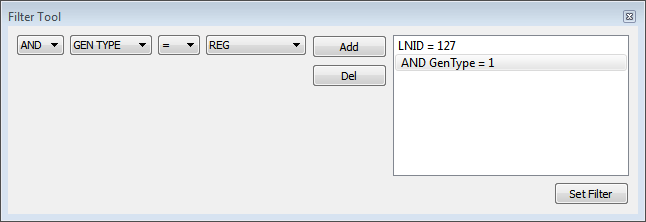
MAC filter performs a very complex query. It searches the database for each time a PRIME node registers itself with a Base Node and gets assigned an LNID. Keeps track of PNPDUs frames. It cannot be used with other filters.