6 Hardware Setup
First, disable the USB bridge and enable the UART configuration on the MTCH9010 Evaluation Kit. Ensure that the jumpers are positioned as shown in the table below.
| Switch | State |
|---|---|
| OUTPUT | N/A |
| LOCK | OFF |
| ECFG | ON |
| MODE | N/A |
| USB BRIDGE | OFF |
| SLEEP PERIOD | N/A |
Then, connect the MTCH9010 development board to the main development board at the GPIO pins specified in Devicetree. For the SAM L21 Xplained Pro, the following pins are used on the EXT2 header.
| MTCH9010 Evaluation Kit | SAM L21 XPlained Pro |
|---|---|
| VDD | VCC |
| GND | GND |
| HBEAT | PA20 |
| DETECT (OUT) | PB15 |
| WAKE | PB14 |
Then, plug in and Flash the board through the debug USB interface (see the Programming the Device chapter). Connect to the virtual COM port opened by the board at 115200 baud (8 data bits, 1 stop bit, no parity) using MPLAB Data Visualizer or another serial terminal. Press the Reset button on the MTCH9010 board to ensure the board is ready to accept a configuration.
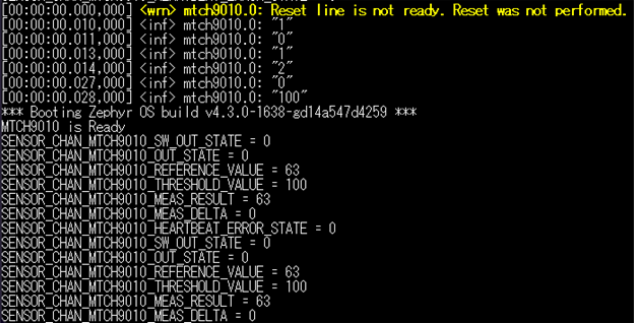
Reset the MCU development board. If everything is set up correctly, Zephyr should start printing out information, as shown below.