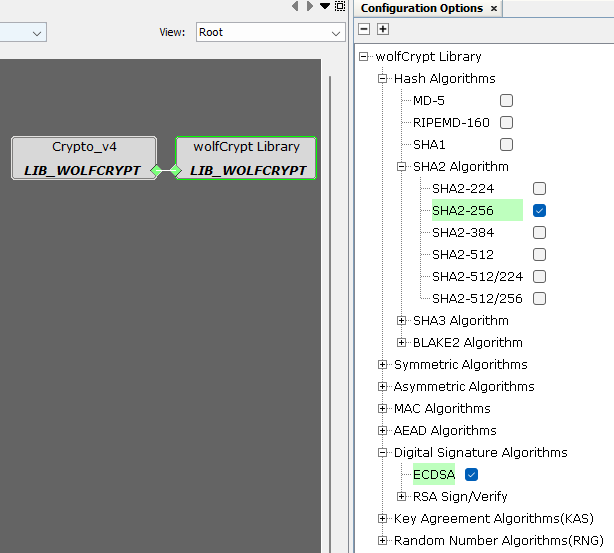
1.5.5.3 Configuring the Library
The PRIME Firmware Upgrade service library is configured to work in conjunction with the MEMORY driver to easily add any non-volatile memory to store the downloaded images.
In the PIC32CX MT device, the SEFC0 driver is configured as the download area, although other areas can be selected as long as the Bootloader application is also modified accordingly (refer to its documentation in the smartenergy_prime_apps repository).
Depending on the type of PRIME node, the configuration options of the PRIME Firmware Upgrade differ.
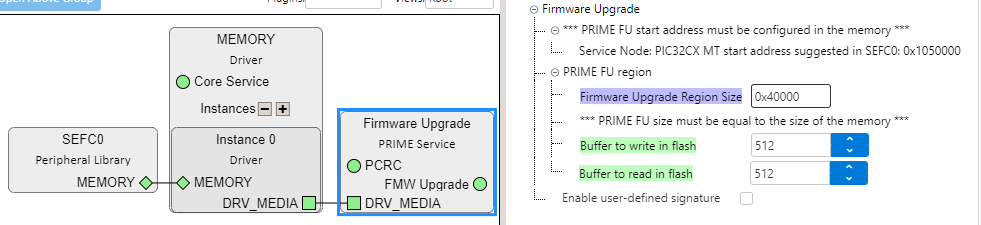
The parameters to configure in a Service Node are:
- Firmware Upgrade Region Size: It is in hexadecimal, the reserved space in memory for file downloading. This size must be equal to or less than the size of the chosen memory.
- Buffer to write in Flash: The size of the write buffer must be at least the size of the write block size of the chosen memory in bytes.
- Buffer to read in Flash: The size of the read buffer must be at least the size of the read block size of the chosen memory in bytes.
- Enable user-defined signature: It allows the use of a user-defined signature.
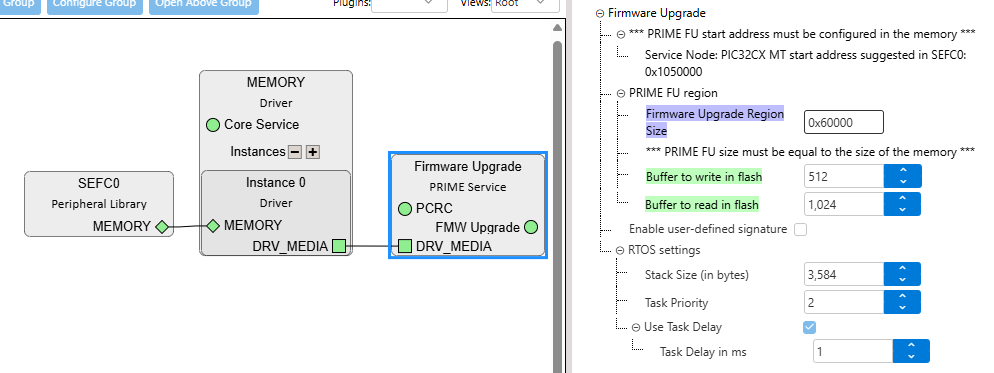
The parameters to configure in a Base Node are the same except for the RTOS settings, which are available when the Base Node is managed with an operating system and the corresponding Harmony module has been added into the application.
For additional information about the applications, refer to the smartenergy_prime_apps repository.
- the task priority for the PRIME Firmware Upgrade service
- the task delay in milliseconds
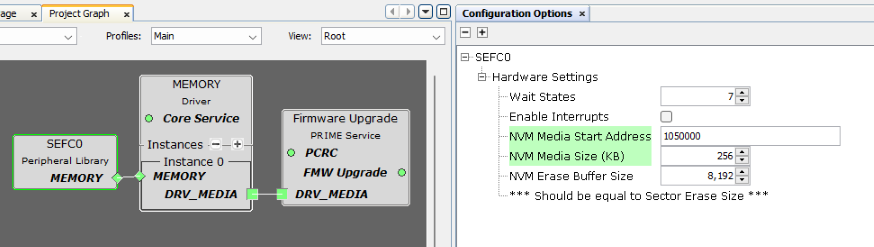
In the applications provided by Microchip for the PIC32CX MT device, SEFC0 is used as the associated memory. However, the parameters to configure will be the same for all memories.
- NVM Media Start Address: Starting address of the memory area where the downloaded files will be stored.
- NVM Media Size (KB): Length of the Firmware Upgrade Region size. the value should be the same as the one specified in the Firmware Upgrade PRIME service configuration.