
4.1 Switching to Secure Boot Mode
To switch a SAM9X7 Series MPU into Secure Boot mode, start it in Standard Monitor mode. This requires disabling any boot media on the board before performing a hard reset.
To verify if the ROM code is in Standard Monitor mode, use the SAM-BA® tool as follows:
sam-ba -p serial --device:sam9x70:0:1 -m versionThe ROM code response will look similar to this:
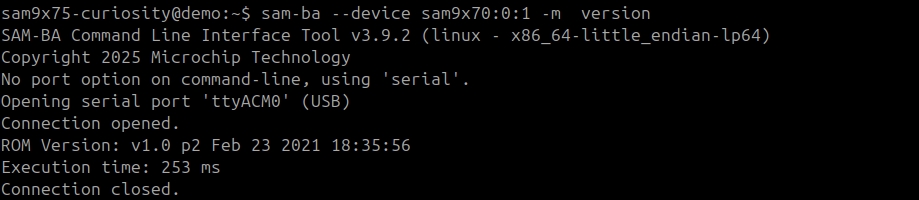
Once the device is running in Standard Monitor mode, the command to transition the device into Secure Boot mode can be executed.
To configure OTPC to run in Emulation mode and switch the device to Secure Boot mode, follow these steps:
- Enable OTPC Emulation mode:
sam-ba --device sam9x70:0:1 –a bootconfig –c writecfg:bscr:EMULATION_ENABLEDFigure 4-1. Host: Enable OTPC Emulation Mode 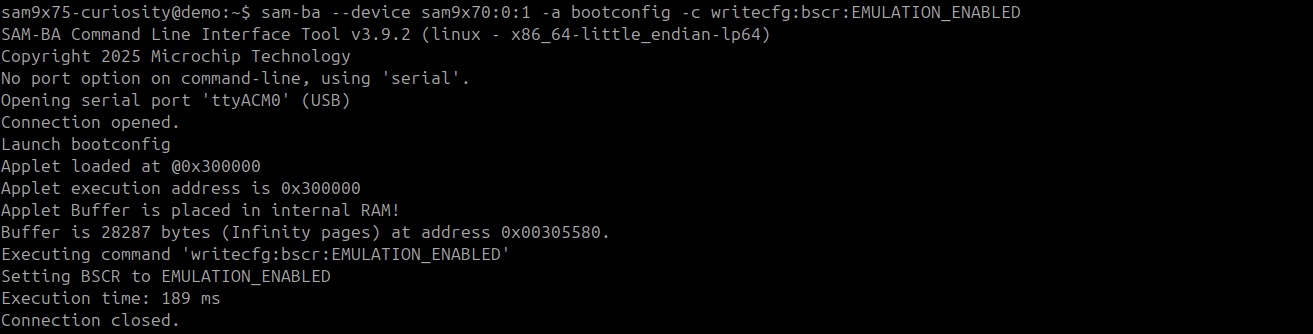
Figure 4-2. Target: Enable OTPC Emulation Mode 
- Reset/clear internal SRAM1 used by
OTPC in Emulation mode:
sam-ba --device sam9x70:0:1 –a bootconfig –c resetemulFigure 4-3. Host: Reset OTPC Emulation Memory (Internal SRAM1) 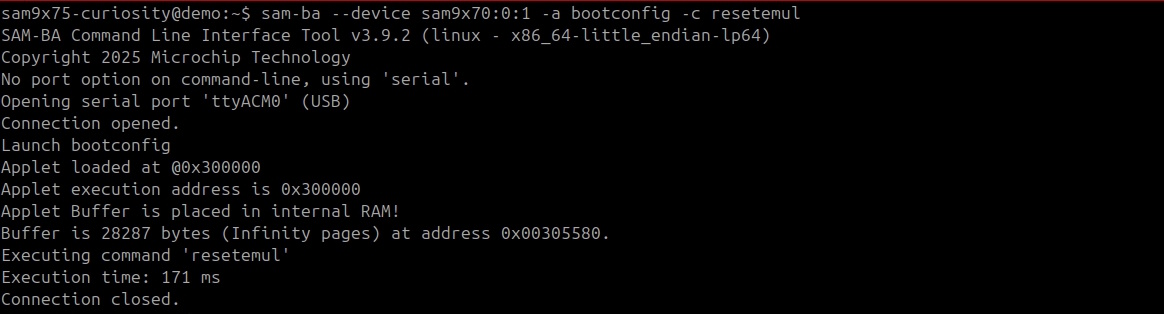
Figure 4-4. Target: Reset OTPC Emulation Memory (Internal SRAM1) 
- Reset the target:
sam-ba --device sam9x70:0:1 -a resetFigure 4-5. Host: Target Reset 
Figure 4-6. Target: Reset to OTPC Emulation Mode 
- Write the Secure Boot Configuration Packet:
sam-ba --device sam9x70:0:1 -a bootconfig -c writecfg:sbcp-emul:SECURE_BOOT_ENABLEDFigure 4-7. Host: Write the Secure Configuration Packet 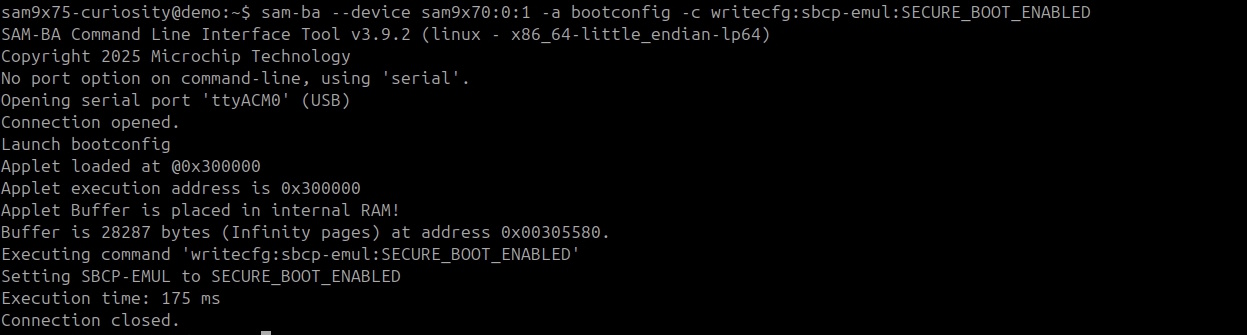
Figure 4-8. Target: Write the Secure Configuration Packet 
- Reset the
target:
sam-ba --device sam9x70:0:1 -a resetFigure 4-9. Target: Reset in Secure Boot Mode - Read back the Secure Configuration
Packet:
sam-ba –p secure --device sam9x70:0:1 -a bootconfig -c readcfg:sbcp-emul:Figure 4-10. Host: Read Back the Secure Boot Configuration Packet 
To switch the device to Secure Boot mode using OTPC Real mode (persistent mode), start with step 4, but use the “Write into OTP real memory” option as follows:
sam-ba -p secure --device sam9x70:0:1 -a bootconfig -c writecfg:sbcp-otp:At this point, the device can be provisioned with keying material. Refer to Appendix B: Device Provisioning.
- If this is the first time switching the device to Secure Boot mode, it is recommended to switch the OTPC to Emulation mode. Refer to Appendix A: OTP Features for Secure Boot Mode for details about OTPC Emulation mode vs Real mode.
- In Secure Boot mode, SAM9X7 Series MPUs can only boot signed and ciphered applications.