
2.4 Using MPLAB® ICE 4 with MPLAB X IDE and MPLAB IPE
Download and install the latest version of MPLAB X IDE from the MPLAB X IDE webpage. The MPLAB X IDE installer will install MPLAB X IDE and/or MPLAB IPE.
Using MPLAB® ICE 4 with MPLAB X IDE
The MPLAB® ICE 4 In-Circuit Emulator works with MPLAB X IDE to develop target applications. The MPLAB® X IDE User’s Guide (DS-50002027) and other documentation may be found on the MPLAB X IDE webpage. Alternately see the MPLAB X IDE WebHelp.
 | Use the desktop icon to launch the IDE. |
  | Create a new project or open an existing project. Select MPLAB ICE 4 as the hardware tool. |
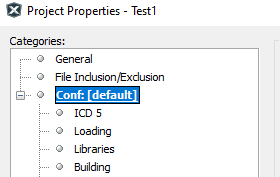 | Open the Project Properties window by right clicking on the project name and selecting Properties. This window is used to set up options for debugging, programming and other features. See MPLAB ICE 4 option descriptions. |
Using MPLAB® ICE 4 with MPLAB IPE
The MPLAB® ICE 4 In-Circuit Emulator works with MPLAB IPE as a production programmer. The MPLAB® IPE User's Guide (DS-50002227) and other documentation may be found on the MPLAB X IDE webpage. Alternately see the MPLAB IPE WebHelp.
There are also command line IPE tools available as an option. See the MPLAB X IDE installation folder, docs subfolder.
 | Use the desktop icon to launch the IPE. |
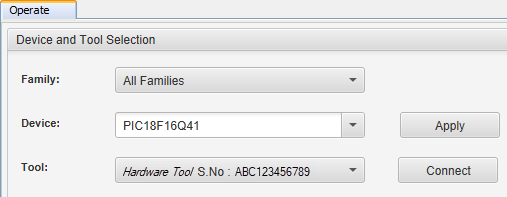 | Select a device to program and then select MPLAB ICE 4 as the tool. |
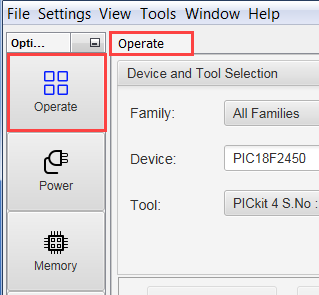 | Select on a button to Program, Erase, Read, Verify or Blank Check. For more on MPLAB IPE, including Advanced mode, see the MPLAB® IPE User's Guide. |