5.9.2 Profiling Setup
To set up profiling:
- Set up your hardware for PIC32 Instruction trace (see 3.3.8 PIC32 Instruction Trace Adapter Board).
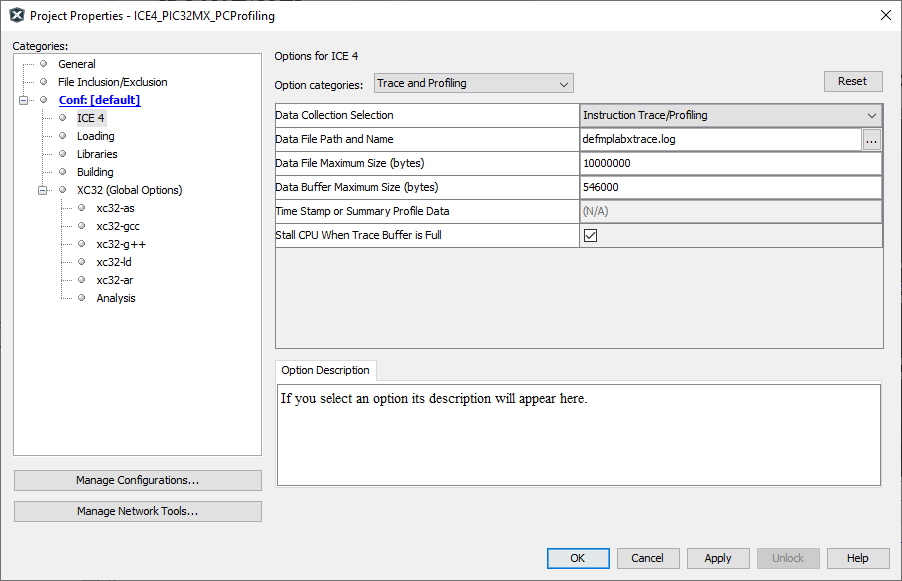
- Open the Project properties window (File>Project Properties).
- Select ICE 4>Trace and Profiling. Under “Data Collection Selection,” select “Instruction Trace/Profiling.”
- Set up your data file in this window. For reference, see 9.2.6 Trace and Profiling. Then click OK.