3.4.2 Harmony 3 EMAFE DMA Transfer Mode Example
This topic provides instructions and information about the MPLAB Harmony 3 EMAFE DMA transfer mode demonstration application, which is included in the MPLAB Harmony Smart Energy Metrology Applications distribution.
Description
| Channel | Input Signal | Data Register |
|---|---|---|
| Channel 0 | Temperature sensor | EMAFE_DATA0 |
| Channel 1 | I1 | EMAFE_DATA1 |
| Channel 2 | V1 | EMAFE_DATA2 |
| Channel 3 | I2 | EMAFE_DATA3 |
| Channel 4 | V2 | EMAFE_DATA4 |
After enabling V1 decimation filter, V1 is configured to be used in DMA mode.
Once DMA transfer has been completed and data samples have been written in the data memory, the ENDRX flag rises. If the corresponding interrupt is enabled, an interrupt is generated.
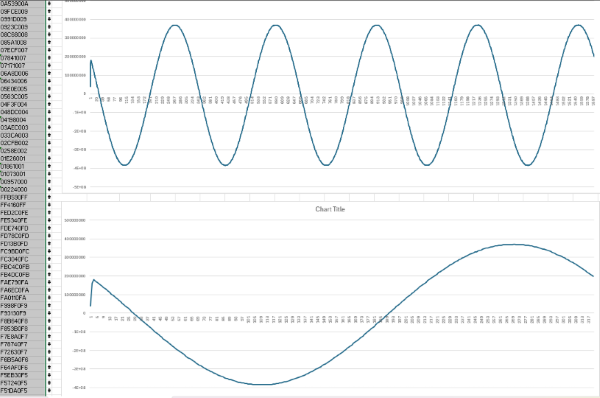
This application has been designed to capture 1600 samples, which supports 5 cycles of a periodic 50 Hz signal:
Fs = 16000 ksps. Fin = 50Hz. Fs/Fin = 320 samples/cycle. Total samples = 320 * 5 = 1600 samples in 5 cycles.
Where Fs is sampling frequency and Fin is input signal frequency.
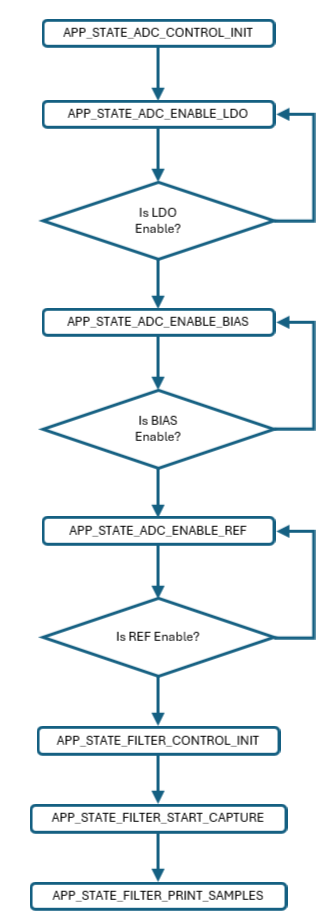
Harmony MCC Component Blocks
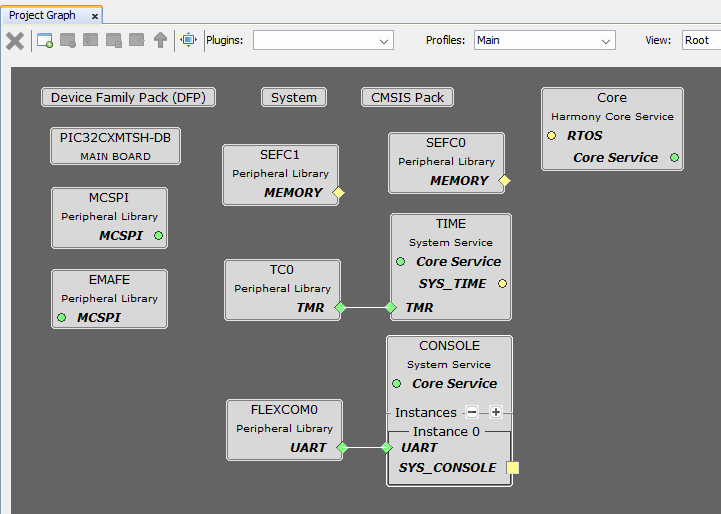
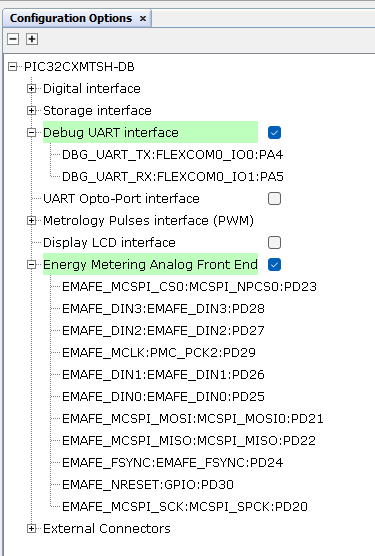
The virtual COM Port interface is enabled to provide an output console.
Energy Metering Analog Front End component must be enabled.
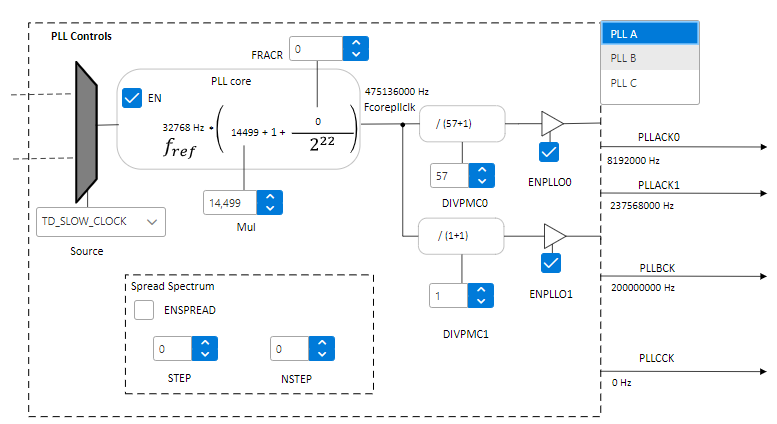
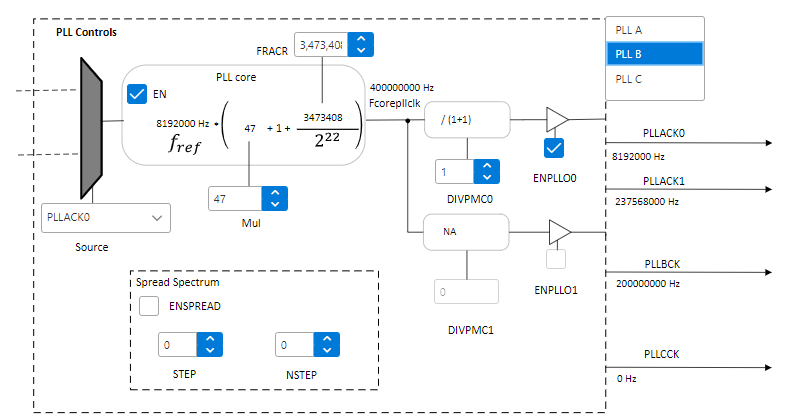
Clock Configuration
Clocks are configured to match the following distribution:
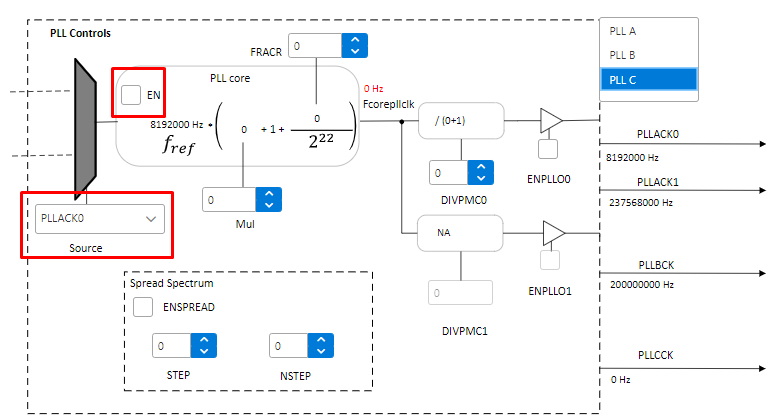
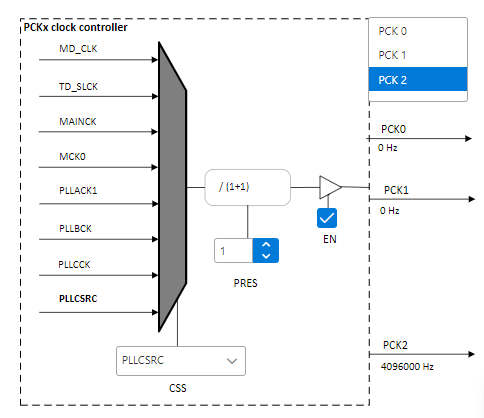
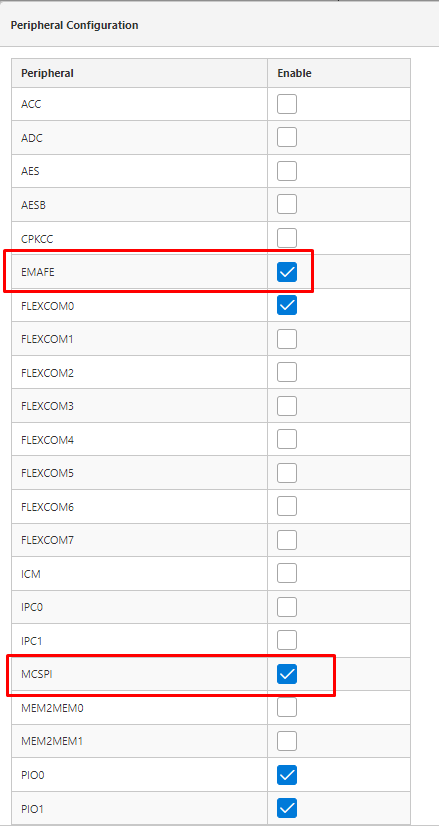
Harmony EMAFE Code Configuration Options
EMAFE peripheral library is configured to use Direct Transfer mode by default.
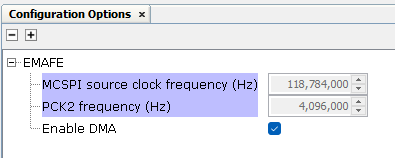
Building the Application
This section identifies the MPLAB X IDE project name and location and lists and describes the available configurations for the demonstration.
The parent folder for these files is smartenergy_metrology\apps\peripherals\emafe\emafe_dma. To build this project, the user must open the smartenergy_metrology\apps\peripherals\emafe\emafe_dma\emafe_dma_pic32cxmtsh_db.X project file in MPLAB X IDE.
MPLAB X IDE Project Configurations
This table lists and describes the supported configurations of the demonstration, which are located within ./src/config.
| Project Name | Configuration | Description |
|---|---|---|
| emafe_dma_pic32cxmtsh_db | pic32cxmtsh_db | This demonstration runs on the PI32CXMTSH Development Board. |
Running the Demonstration