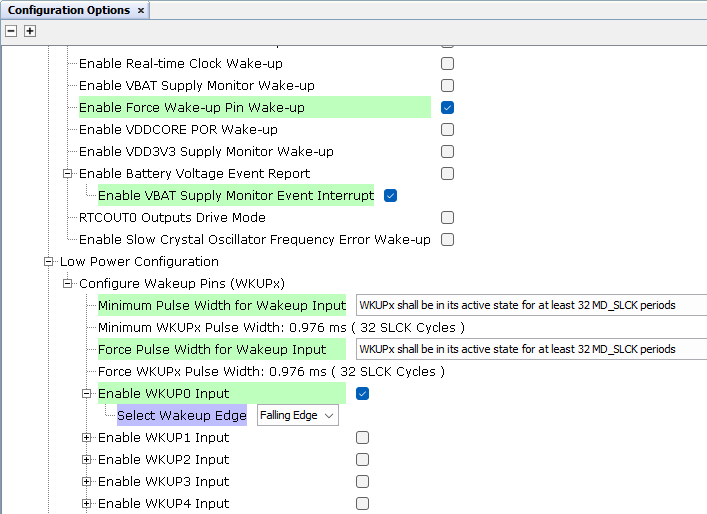
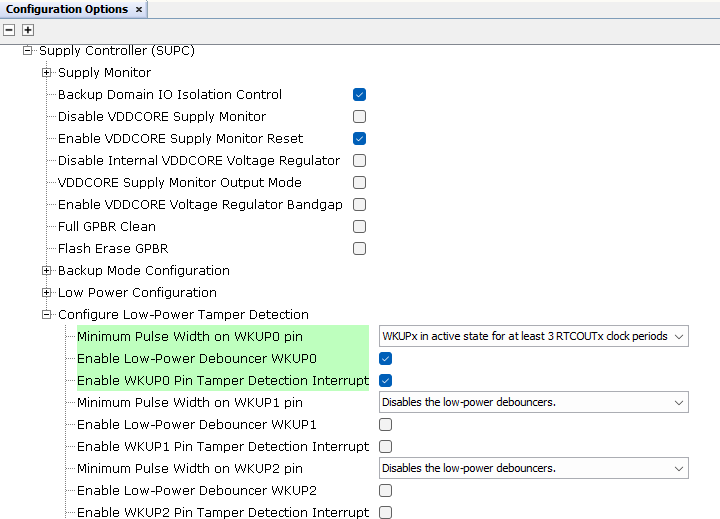
2.2.4.3 Supply Controller Configuration
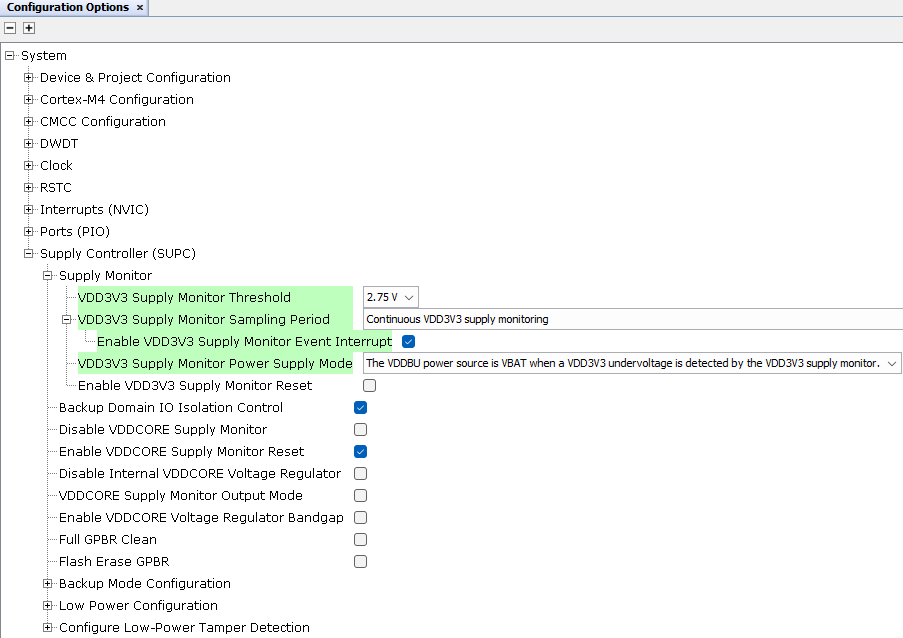
The Demo Meter application enters a Low-Power mode (back-up mode) in two ways:
- When the user types the command DCB in the console
- When the Scroll-up button is pressed and, then, without releasing it, Scroll-down button is pressed
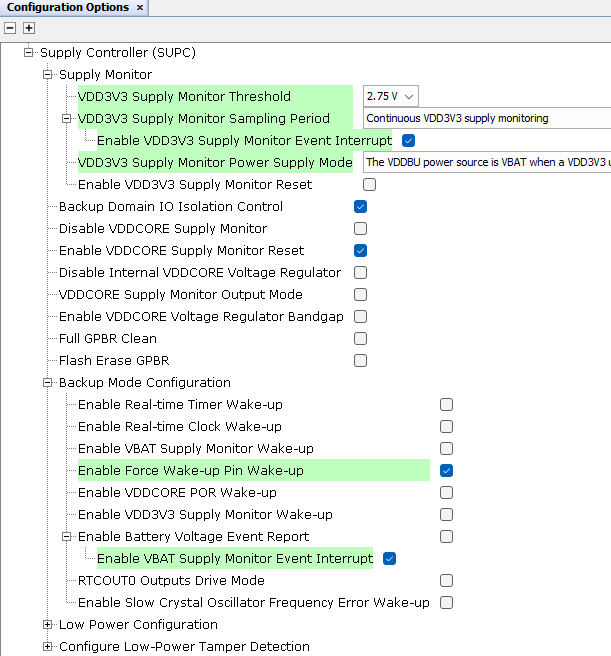
The system wakes up when the user pushes the TAMPER or FWUP buttons if the main power supply was restored.
Note: The user can easily change the code to add other transition
modes to Low-Power mode. In some cases, it could be useful to switch to Low-Power mode
when a power outage is detected or depending on the microcontroller voltage supply
monitor information. These transitions could be combined with writing on external memory
to store relevant data.