4 Compiling and Debugging the Demo Application
The following steps describe how to compile the demonstration application using the MPLAB® X ecosystem.

We will build the demo application (ocpp_v16_apps_charge_point), which links to the pre-built OCPP stack library located at demo_ocpp_v16_harmony/apps/firmware/ocpp_lib.
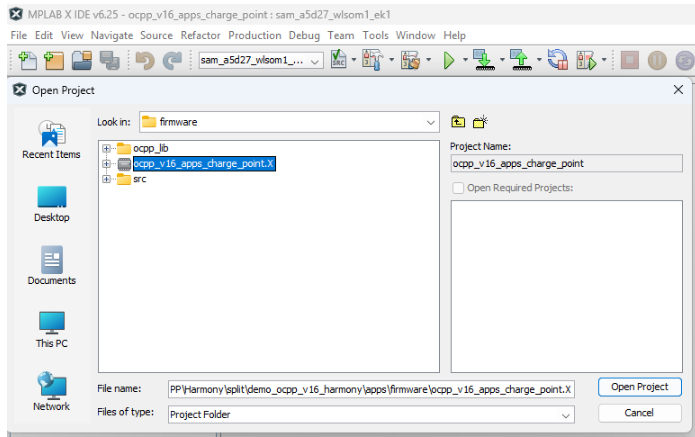
- Open the demo application using MPLAB
as illustrated below. The MPLAB X project file is stored at
demo_ocpp_v16_harmony/apps/firmware/ocpp_v16_apps_charge_point.
- Select this project as Main Project.
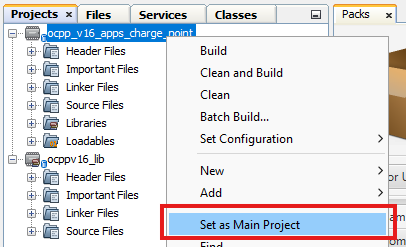
- Right-click on the project and select
Properties.
- Select the latest Device
Family Pack (DFP) and the latest XC32 compiler.
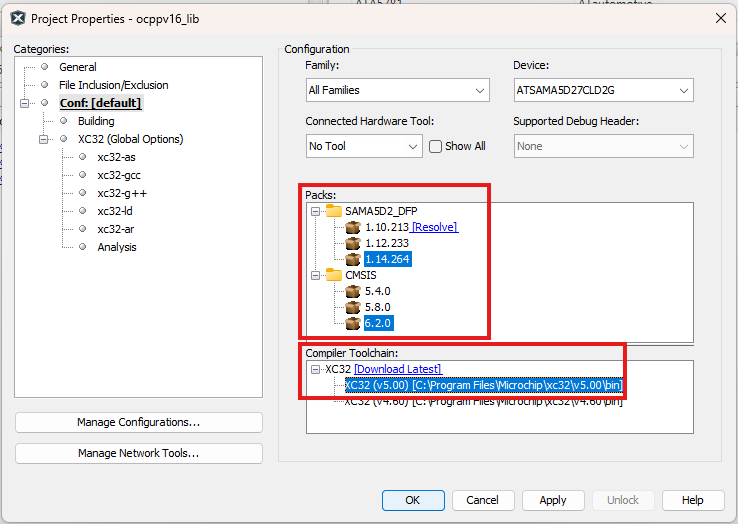
- Click Apply and then Close.
- Select the latest Device
Family Pack (DFP) and the latest XC32 compiler.
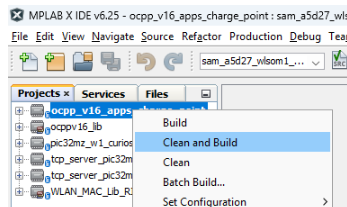
- Right-click on the corresponding
project name and select the option Clean and Build.
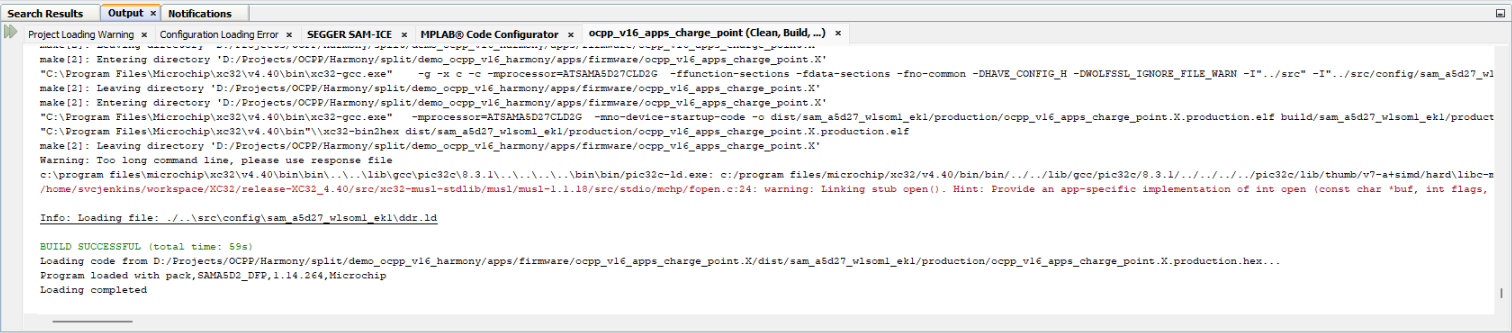
The following message confirms that the build is successful.