1.2.1 Accessing Secure SAM-BA Cipher
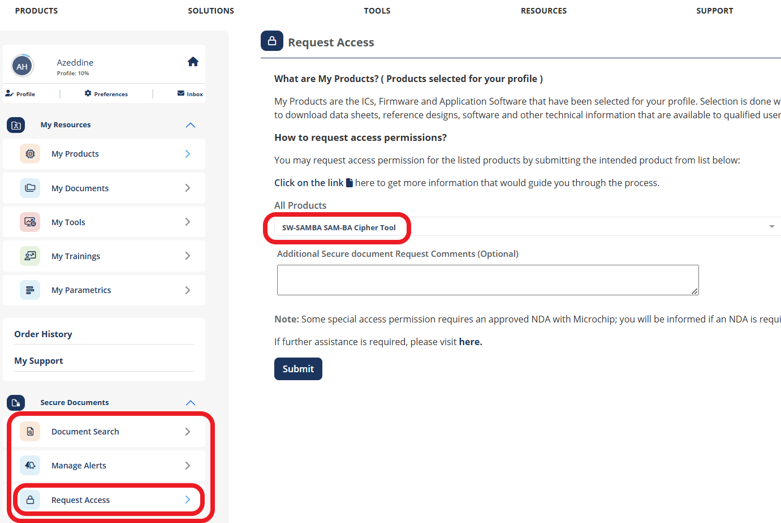
Secure SAM-BA Cipher can be accessed through our Secure Document Extranet (SDE). To request access to Secure SAM-BA Cipher:
- Create an account on the SDE as described in the Secure Document Extranet User Guide.
- Go to the www.microchip.com website.
- Navigate to myMicrochip.
- Select Dashboard, as
illustrated:
- Select Secure Documents.
- Select Request Access.
- In the Select a Product search field, enter “SW-SAMBA SAM-BA Cipher Tool”, as illustrated in the following screen shot.