1.1.3 Analyze the Project
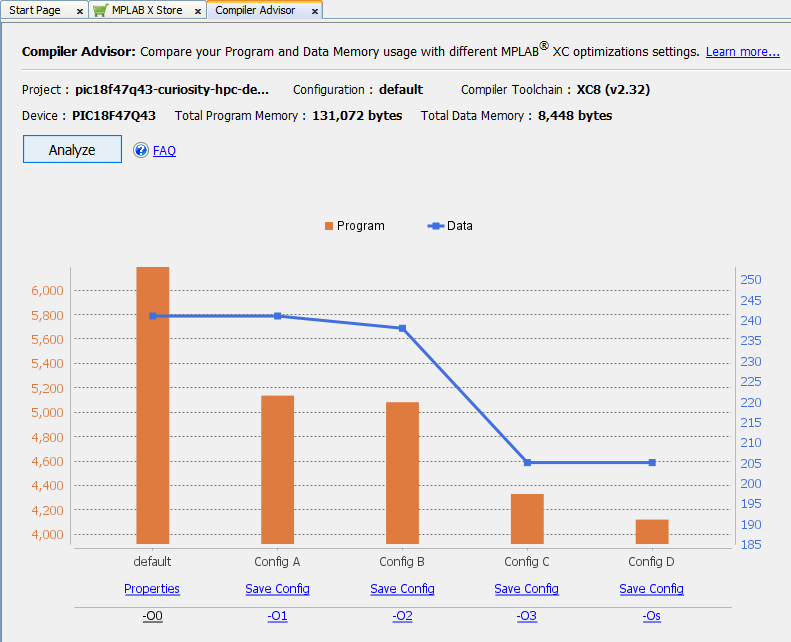
Once any project modifications are complete and loaded into the Compiler Advisor, click Analyze. The Compiler Advisor will build the project code several times using different sets of optimizations.
Note: Depending on code size, this may take some time.
When the analysis is complete, a graph will appear showing program and data memory used for each of the different configurations (see figures below). The analysis information is saved in the project folder.
For details on the chart, see Understand Analysis Results in Chart.