
8.2.6 Rekey
The Rekey operation generates a new set of encryption keys for the controller. It is applicable only when SED-based encryption is configured in Remote Key Management mode and the controller supports the Remote Key Management Rekey feature. No master key or controller password input is required; the controller rotates its keys against the configured Key Management Server (KMS).
Perform the following steps to enable the rekey:
- In Enterprise tab, select a system, and then select a controller.
- On the ribbon, in the Controller group, click Security Settings.
- In the Self Encrypting Drive (SED) Based Encryption dialog, click the Settings tab.
- Select the Rekey check box.
- Click OK.
Figure 8-2. Rekey 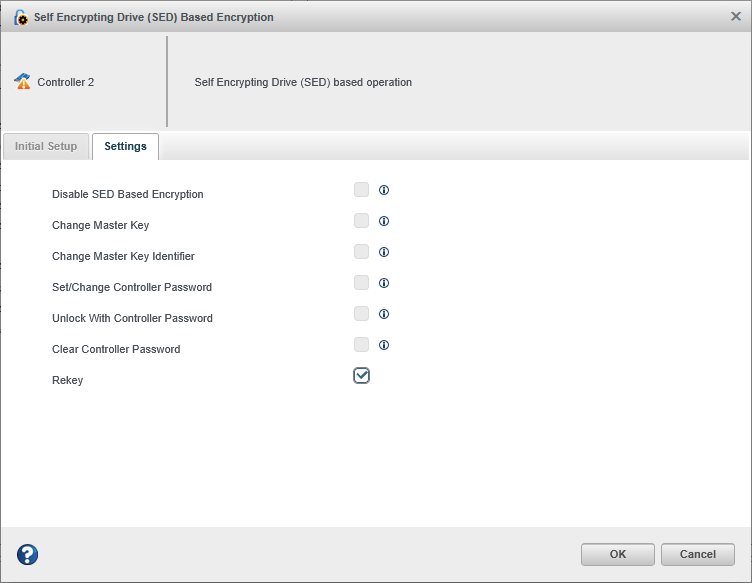
After the operation, the status dialog displays the controller details and the rekey operation result.