
2.4.2 Connection Procedure
Follow these steps:
- Plug the J-Link cable from your PC into the target SAM device’s USB port.
- Connect a 5V power supply to the board.
- Perform a power-on reset.
- Check your Device Manager.
- On a Windows® host:
Figure 2-9. Windows Device Manager 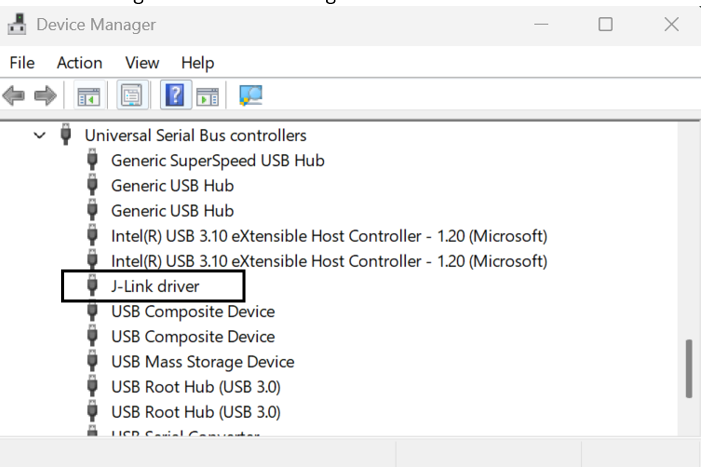
- On Linux®, use the
lsusbcommand to locate the device (for example, SEGGER J-Link PLUS).Figure 2-10. Linux Terminal Console 
- On a Windows® host:
Once the J-Link device has been probed or registered by the host OS, the configuration parameters for the SAM-BA® connection over JTAG can be listed with the following:
$ sam-ba -p j-link:help
Syntax:
    j-link:[<S/N>]:[swd|jtag]:[<speed in kHz>]
Examples:
    j-link             use first J-Link device found
    j-link:123456      use J-Link with serial number 123456
    j-link:123456:swd  use J-Link with serial number 123456, in SWD mode
    j-link::swd        use first J-Link device found, in SWD mode
    j-link::jtag       use first J-Link device found, in JTAG mode (JTAG mode is the default)
    j-link::jtag:150   use first J-Link device found, in JTAG mode at 150kHz (default is 0 for auto)