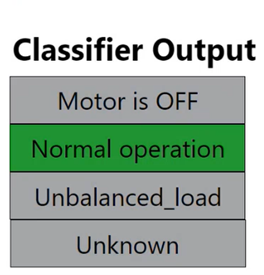
4.3.2 Use Data Visualizer Streamer to See the Classification
- Launch MPLAB Data Visualizer.
- Configure Data Visualizer.
- Click Load.
Figure 4-14. MPLAB® Data Visualizer 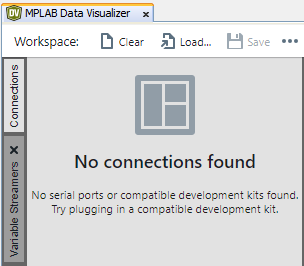
- Find and open the file
predictive_maintenance_demo.dvws within the dv-workspace
folder on the companion material.
Figure 4-15. MPLAB® Data Visualizer Workspace Configuration File Selection for Motor State Classification 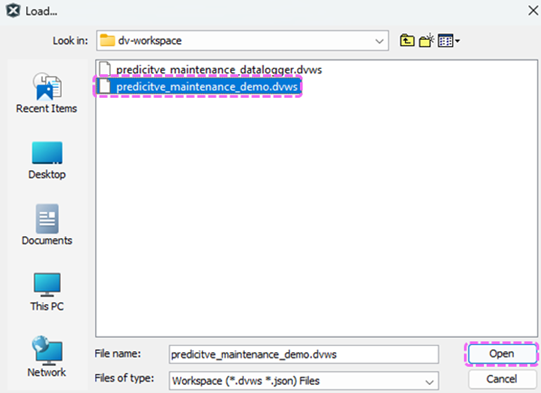
The following screen will appear.
Figure 4-16. MPLAB® Data Visualizer Project Workspace Properly Loaded 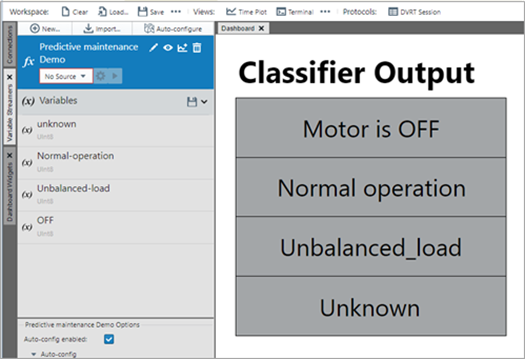
- Click Load.
- Select the COM port used by the PKoB.
- Click the MCU Reset button (SW4) on the board.
- Data Visualizer will show the current motor
state, which should be OFF.
Figure 4-17. MPLAB® Data Visualizer Workspace Properly Connected to the Device 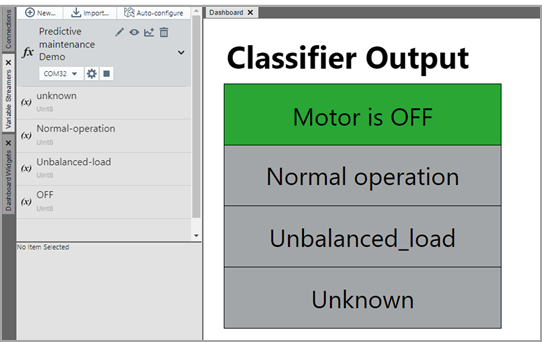
- Press the SW1 button to start the motor.
- Confirm the motor runs and the Data Visualizer
indicates Normal operation.
Figure 4-18. MPLAB® Data Visualizer Indicating Normal Operation