4.3.1 Flash the dsPIC33CK with the Demo Binary
Perform the following steps to flash the dsPIC33CK DSC with the demo binary:
- Open MPLAB IPE.
- In Settings, select Release from Reset.
Figure 4-9. MPLAB® IPE Recommended Settings 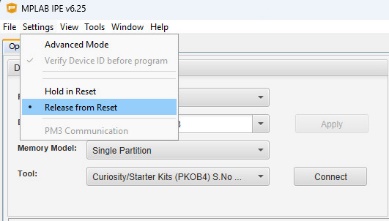
- Select dsPIC33CK256MP508 as the target device.
- Select the PKoB programmer.
- Click Connect.
Figure 4-10. MPLAB® IPE Correctly Configured for Operation 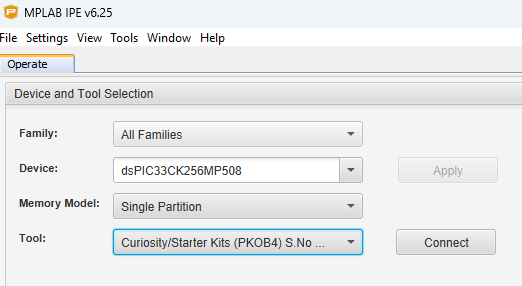
Figure 4-11. MPLAB IPE Hex File Not Selected 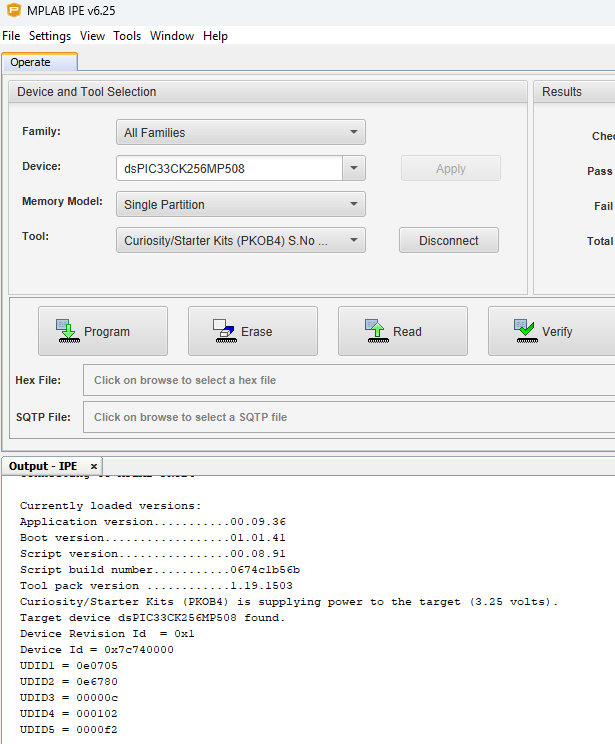
- Locate the
demo-anomaly-detection-mclv-48v-300w-hurst.hex file in the
demo_binaries folder from the companion files.
Figure 4-12. MPLAB IPE Hex File Properly Selected and Expected Console Output 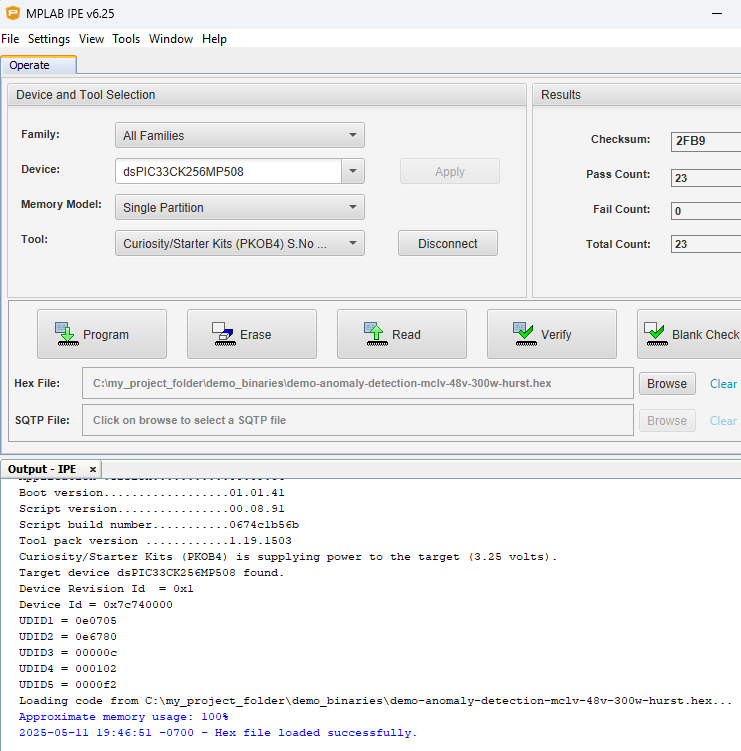
- Click Program to complete the process.
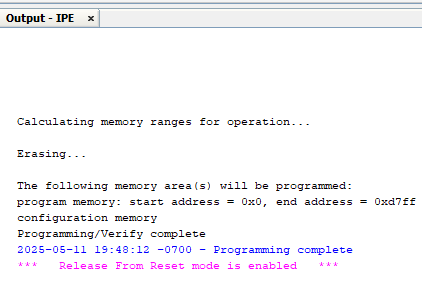
Figure 4-13. MPLAB® IPE Expected Output after Programming the Board