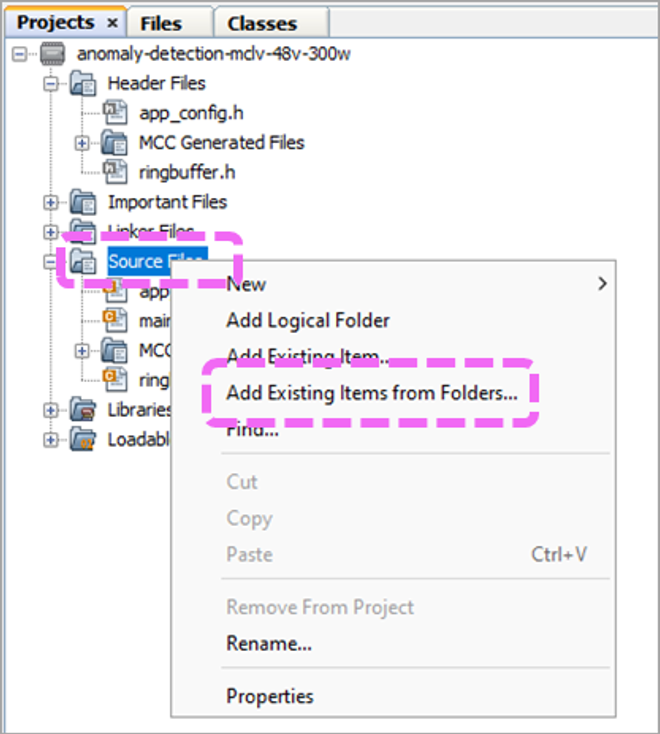
In the MPLAB X project pane, right-click the
source folder.
Select Add Existing Items from
Folders.Figure 8-1. Add Source Files to a
Project
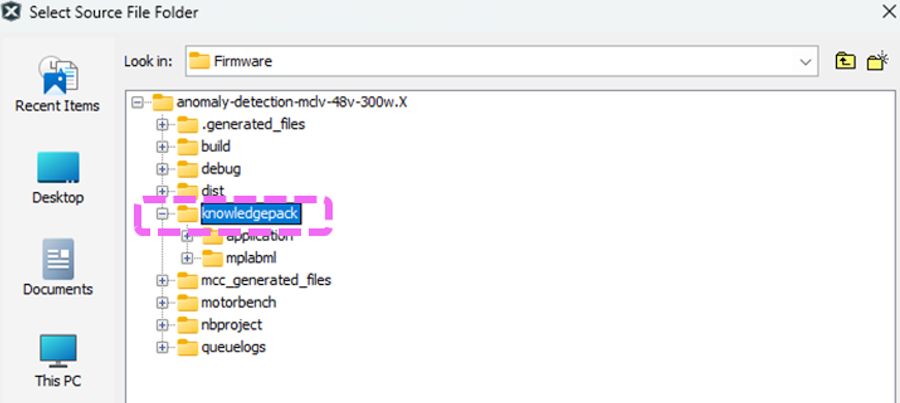
Open the knowledgepack folder.Figure 8-2. AI/ML Model C Files
Location
Select C source files and click
Add.
Repeat the previous step, but this time add the
header files of the knowledgepack folder.
Right-click Libraries and select Add
Library/Object File.
Look for the .a file
within mplabml/lib folder.
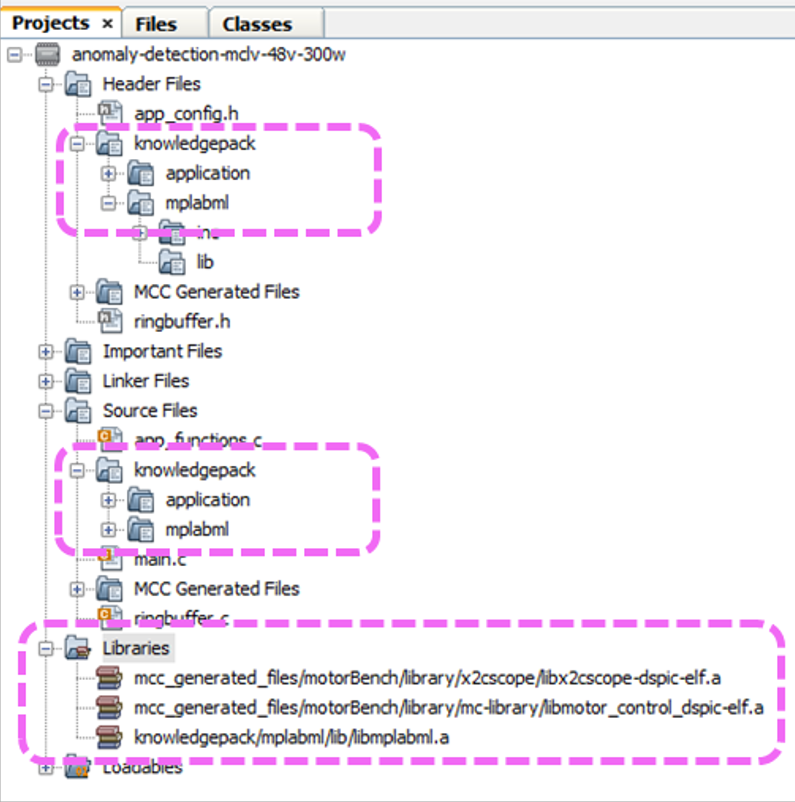
Ensure the project looks similar to Figure 8-3.Figure 8-3. Complete MPLAB® IDE
Project
The online versions of the documents are provided as a courtesy. Verify all content and data in the device’s PDF documentation found on the device product page.