
6.1 Open MPLAB ML Model Builder and Create Labels
- Open MPLAB ML Model Builder by clicking on the icon in the MPLABX tool bar and log in.
- Open the previously created project.
Figure 6-1. Button to Add Labels to the Project Data 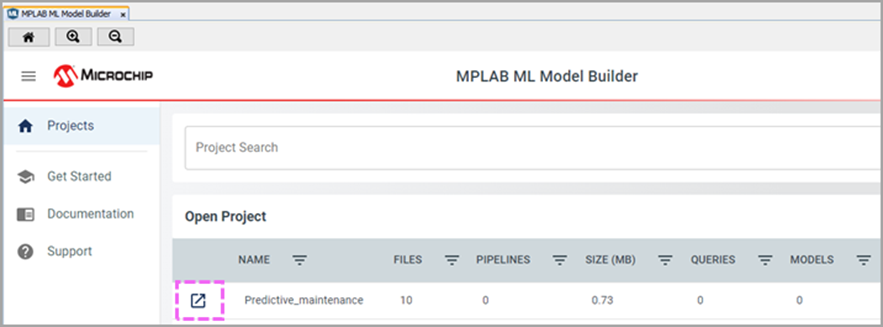
- Open Project Settings.
Figure 6-2. Tab to Open the Project Settings 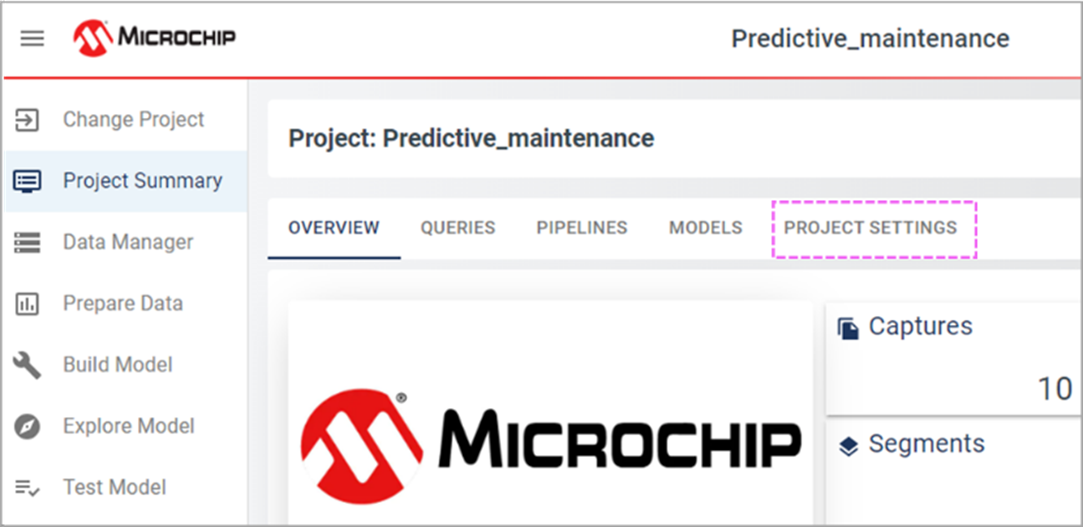
- Open the SEGMENT LABLES menu and click
ADD LABEL.
Figure 6-3. Add Label Button 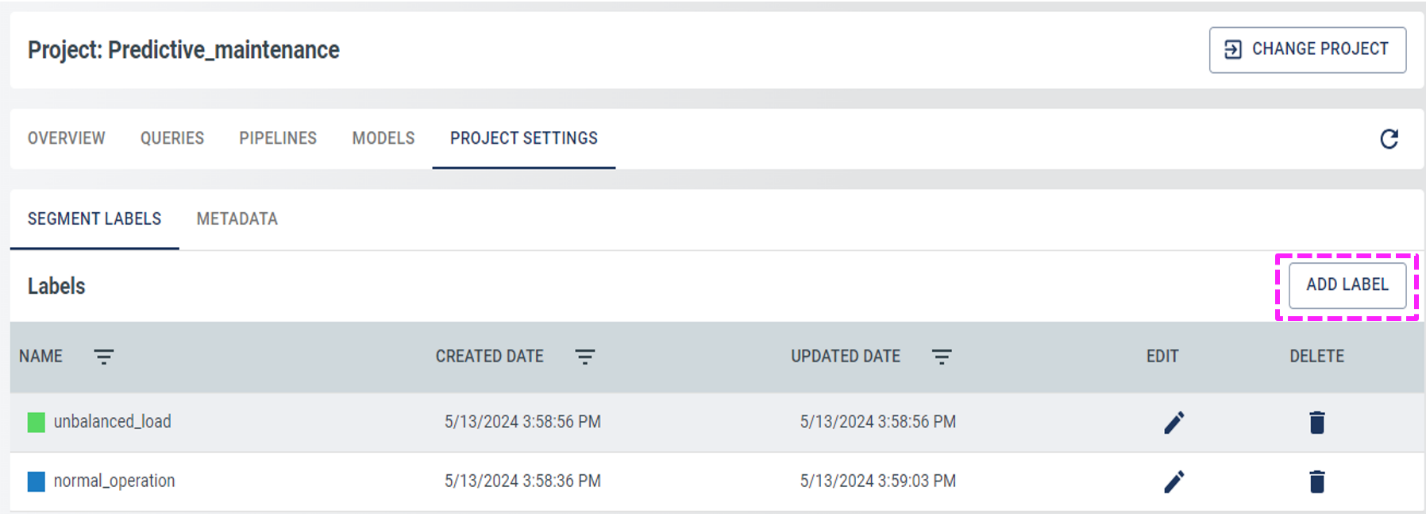
- Create two labels: normal_operation and unbalanced_load.
Note: The section metadata will show the previously attached
metadata.