
1.3.1 Configuring the SDCARD Host Applications
Path of the SDCARD host applications within the repository is apps/spi_bootloader/.
Configuring the SDCARD Host Application
Follow below steps only when Host Development kit is different than Target Development kit.
-
Open the host_app_sdcard/firmware/*.X project in MPLAB X IDE.
-
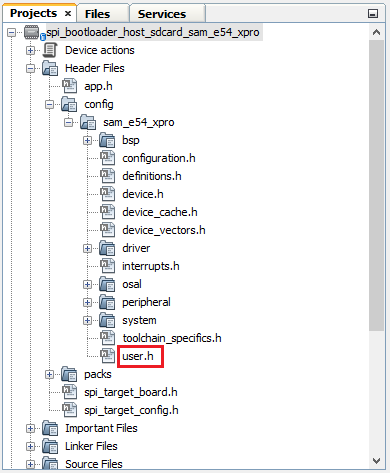
Open the user.h file as shown below:
-
In the user.h file specify the Bootloader Target Device used using the predefined macros.
#define APP_SPI_BOOTLOADER_TARGET_DEVICE SAM_D21_XPRO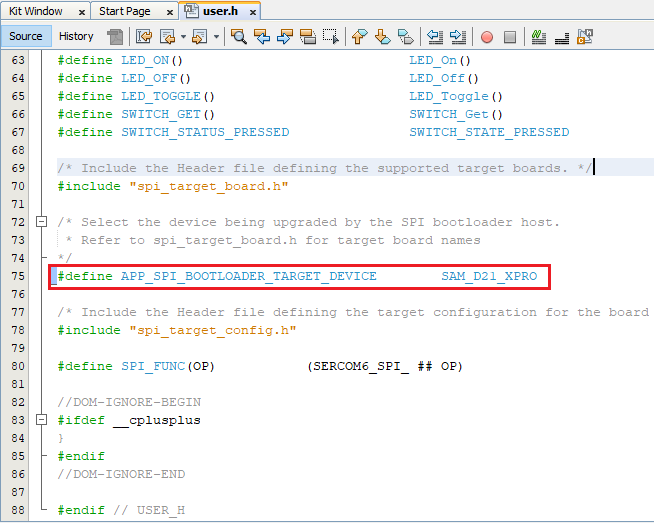
-
Navigate to the #if block for the specified Bootloader Target Device and verify the below settings are as expected.
-
APP_BINARY_FILE: Name of the Application binary copied to the SDCARD
-
APP_ERASE_PAGE_SIZE: Erase page size of the target (target = MCU being programmed)
-
APP_PROGRAM_PAGE_SIZE: Program page size of the target (target = MCU being programmed)
-
The macro can either be set to the program page size or can be set to the size of the erase page size of the target
-
In the demo example, the macro is set equal to the size of the erase page
-
On embedded host where RAM is limited, the macro may be set to the actual program page size to reduce the RAM used to hold the program data
-
For example, for SAM D20, the macro can be set either to 64 (program page size) or 256 (erase page size)
-
-
-
APP_IMAGE_START_ADDR: User application start address (This value should be same as the application start address specified in Application Configurations steps)
-
If the bootloader itself is being upgraded then the APP_IMAGE_START_ADDR must be set to 0x00 (start of bootloader)
-
Ensure that the bootloader and application are configured with the same value of user application start address
-
-