
1.3.2 Binary to C Array Script Help
This document describes the usage of btl_bin_to_c_array.py host script.
Path of the tool in bootloader repository is tools/btl_bin_to_c_array.py.
Setting up the Host PC
- The Script is compatible with Python 3.x and higher
Description
-
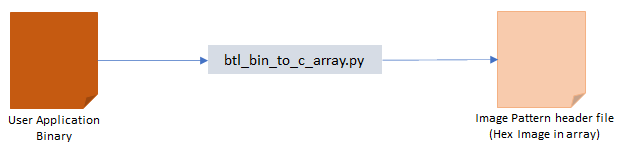
This script should be used to convert the binary file to a C style array containing Hex output that can be directly included in target application code
-
It is mainly used when programming the application using the host_app_nvm application in I2C Bootloader
-
If size of the input binary file is not aligned to device erase boundary it appends 0xFF to the binary to make it aligned and then generates the Hex output
-
User must specify the binary file to convert (-b), hex output file (-o) and the device (-d)
Usage Examples
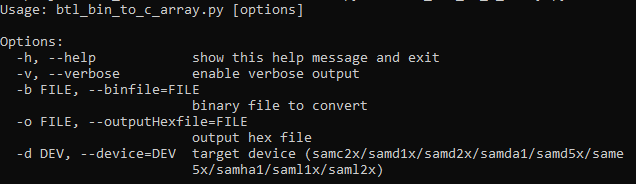
Below is the syntax to show help menu for the script:
python <harmony3_path>/bootloader/tools/btl_bin_to_c_array.py --help
Below is the syntax and an example on how to convert the binary file to a C style array containing Hex output:
python <harmony3_path>/bootloader/tools/btl_bin_to_c_array.py -b <binary_file> -o <hex_file> -d <device>
python <harmony3_path>/bootloader/tools/btl_bin_to_c_array.py -b <harmony3_path>/bootloader_apps_i2c/apps/i2c_bootloader/test_app/firmware/sam_d20_xpro.X/dist/sam_d20_xpro/production/sam_d20_xpro.X.production.bin -o <harmony3_path>/bootloader_apps_i2c/apps/i2c_bootloader/host_app_nvm/firmware/src/test_app_images/image_pattern_hex_sam_d20_xpro.h -d samd2x