6.2 RN487x Example2: Running Transparent UART Example Application
| Transparent Serial: |
|---|
|
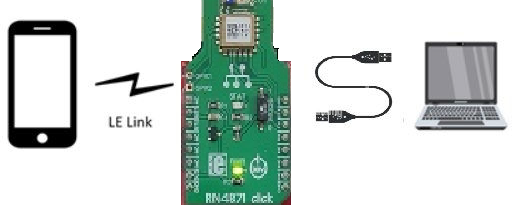
This example will demostrat data transmitted from a PC serial terminal is written to a smart phone app and vice versa. The MCU device will act as a bridge, and pass data between RNBD Module ← MCU → Serial Terminal. This action will occur when STREAM_OPEN is processed through the Message Handler. For this example, data typed into the Serial Terminal will appear on the BLE Phone Application, and Data sent from the Application will appear on the Serial Terminal. |
- Download and Install Phone Application for demonstration:
- Microchip Bluetooth Data by Microchip from the App Store or from Google Play.
- Launch the Phone Application

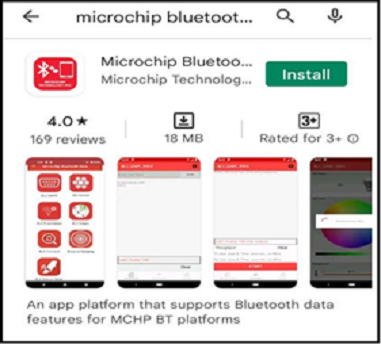
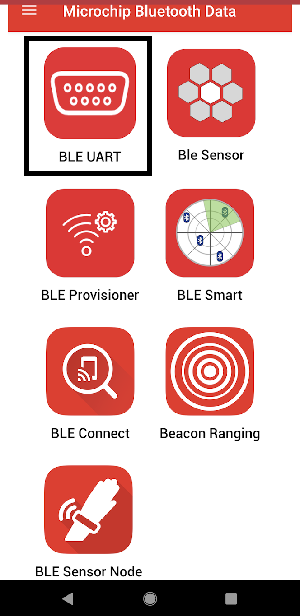
After Installing open the MBD App and Click on BLE UART Sub Apps:
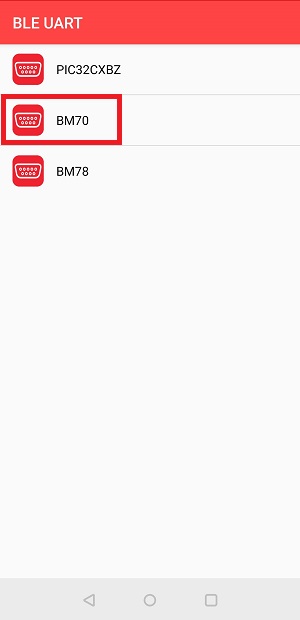
- On Selecting BM70 scan for
available devices to connect.
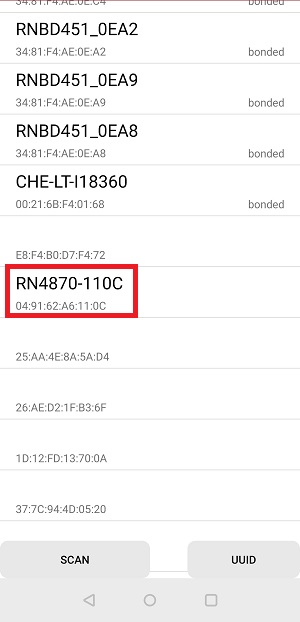
Click on the below Scan image to scan the Nearby "RN487x-xxxx"
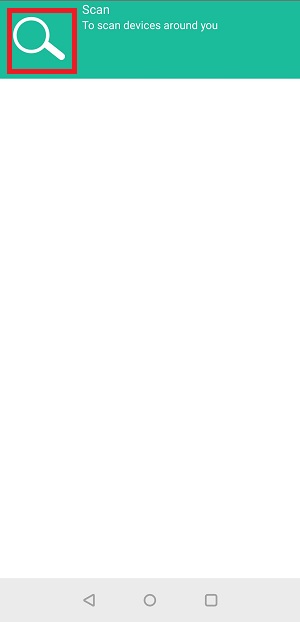
The Application scans the area for Bluetooth devices within a range. Look for "RN487x-xxxx" devices under the scanned list.
- For Transparent Serial only: Open a
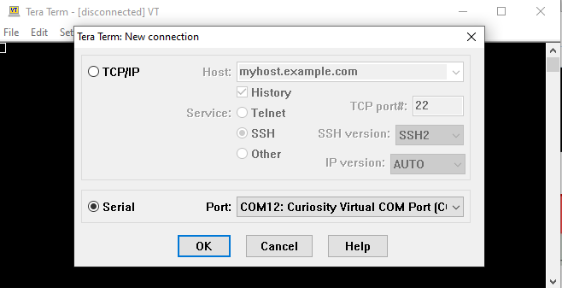
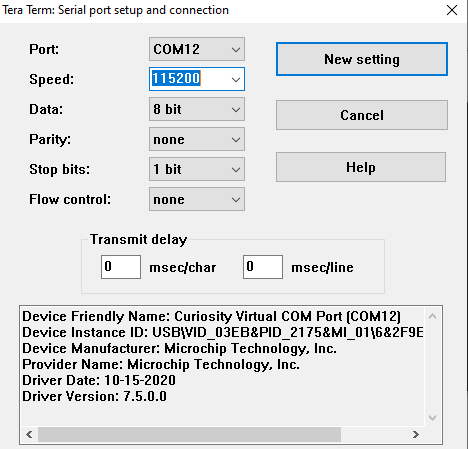
"Serial Terminal" Program such as Tera Term, Realterm, PuTTY, Serial; or similar.
Baud Rate will be configured as: 115200
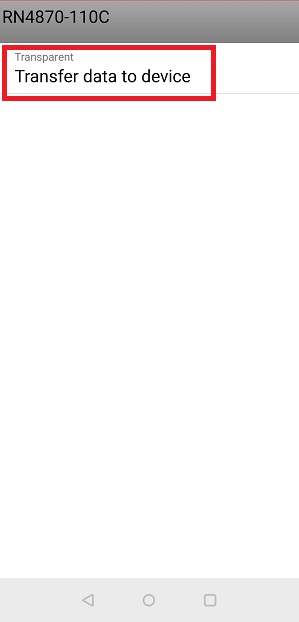
- Once Connected with RN487x-xxxx click
on Transfer data to device as shown below to initiate the data transfer.
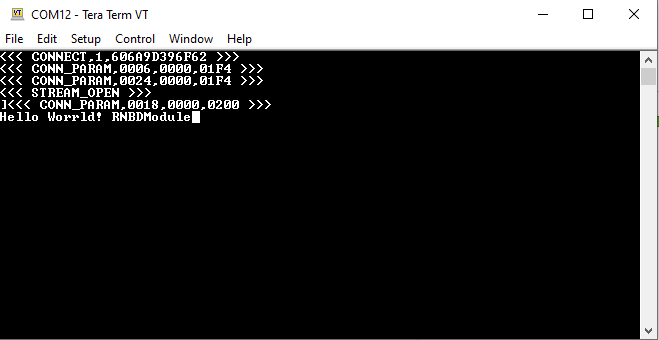
- Check Serial Terminal for the status of the connection.
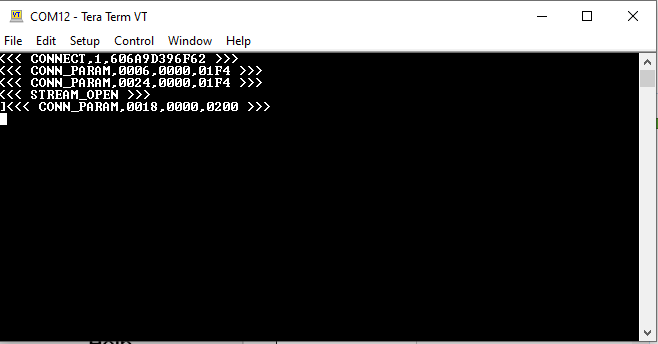
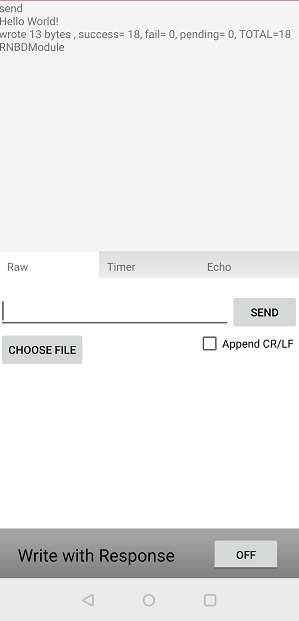
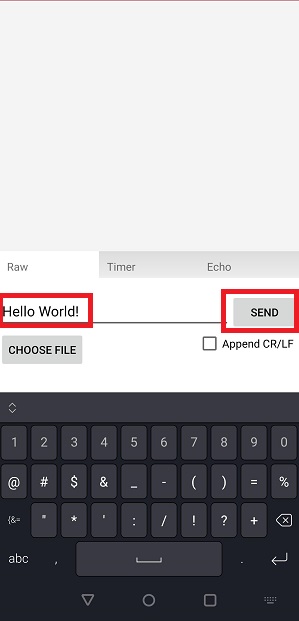
- Enter the text to be transferred from
mobile to RN487x-xxxx device and click send button
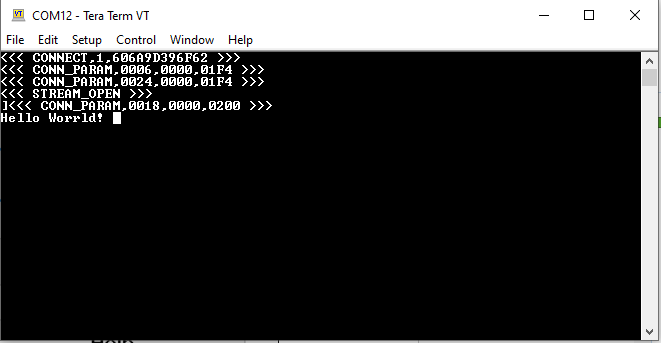
- The data will be received at the RN487x-xxxx side and will be displayed in serial terminal of RNBD45x
- Type any data on the serial terminal
of the RN487x-xxxx to send to the Microchip Bluetooth Data App, which is received
and printed on the receive view of the Microchip Bluetooth App.