5.2 MPLAB® X IDE Setup to Use XC-DSC Language Tools
Find MPLAB X IDE on the MPLAB® X IDE webpage and install it on your PC. Then launch the application and check the settings below to ensure that the XC-DSC language tools are properly recognized.
- From the MPLAB X IDE menu bar, select .
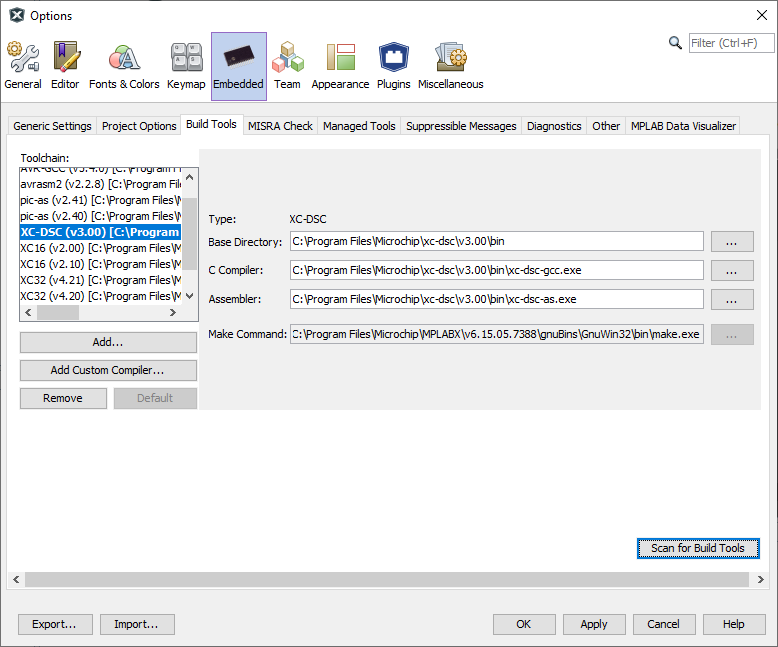
- Click on the latest version of XC-DSC under Toolchain. Ensure that the paths are correct for your installation.
- Click the OK button.
Figure 5-1. XC-DSC Suite Tool Locations In Windows OS