
1.2.5 SAM E54 Xplained Pro Evaluation Kit: Building and Running the UDP Live Update Applications
Downloading and Building the Application
To clone or download this application from Github, go to the main page of this repository and then click Clone button to clone this repo or download as zip file. This content can also be download using content manager by following these instructions.
Path of the application within the repository is apps/udp_live_update/.
To build the application, refer to the following table and open the project using its IDE.
Live Update Application
| Project Name | Description |
|---|---|
| live_update_app/firmware/sam_e54_xpro.X | MPLAB X Project for SAM E54 Xplained Pro Evaluation Kit |
Setting Up SAM E54 Xplained Pro Evaluation Kit
- Connect the Debug USB port on the board to the computer using a micro USB cable
- Establish a connection between Host PC and the device through the RJ45 Ethernet connector using an Ethernet cable
Running the Application
- Open the Terminal application (e.g., Tera Term) on the computer to get Live Update application messages through UART once loaded.
- Configure the serial port
settings as follows:
- Baud: 115200
- Data: 8 Bits
- Parity: None
- Stop: 1 Bit
- Flow Control: None
- Open the Live Update application project live_update_app/firmware/sam_e54_xpro.X in the IDE.
- Build and program the Live Update application using the IDE.
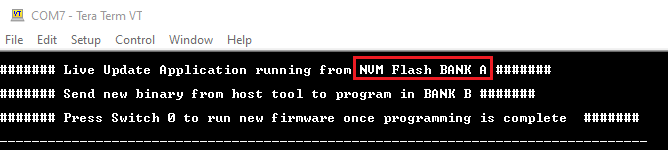
- LED0 should start blinking once
programming is completed and below message has to be displayed on the
console.
- The user can see how the Live Update application was loaded in BANK A by IDE
- Configure the Host PC for setting
up IP Address to communicate with the device.
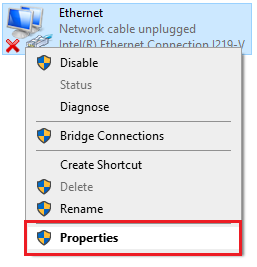
- Go to Control Panel/Network and Internet/Network Connections
- Open Ethernet
Properties
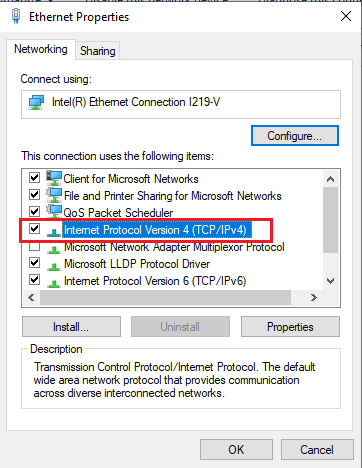
- Double click the Internet
Protocol Version 4 (TCP/IPv4)
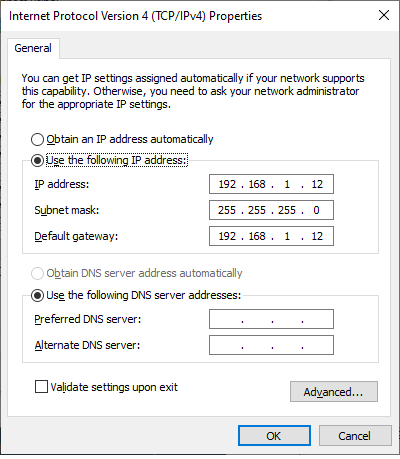
- Configure the IP Address
as shown below:
- IP address: 192.168.1.12
- Subnet mask: 255.255.255.0
- Launch the Unified Host
application from below path:
- <harmony3_path>/bootloader/tools/UnifiedHost-*/UnifiedHost-*.jar
- Configure the Unified host
application.
- Select the Device
Architecture and Protocol as shown below:
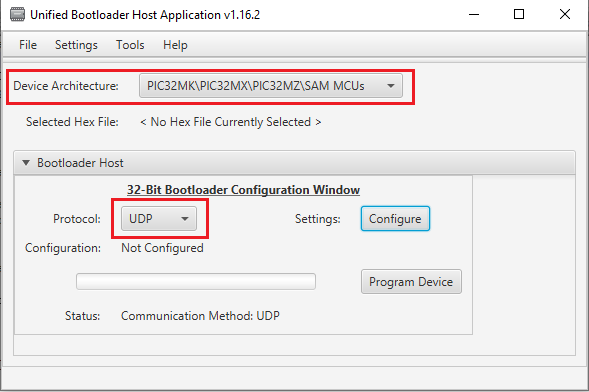
- Click the
Configure button to configure UDP Port Number and IP
Address:
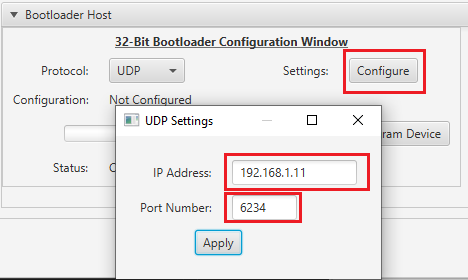
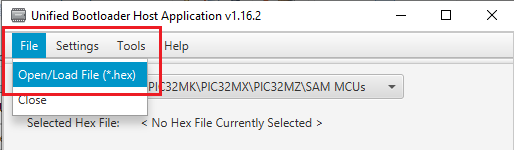
- Load the Live Update
application hex file to be programmed using below option
- <harmony3_path>/bootloader_apps_ethernet/apps/udp_live_update/live_update_app/firmware/sam_e54_xpro.X/dist/sam_e54_xpro/production/sam_e54_xpro.X.production.hex
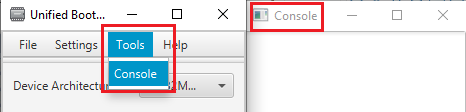
- Open the Console window
of the host application to view application bootloading sequence
- Select the Device
Architecture and Protocol as shown below:
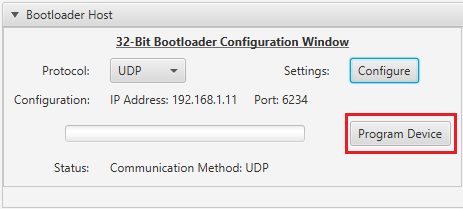
- Click the Program Device
button to program the loaded Live Update application hex file on to the
device.
- The user can note that throughout the programming sequence and after programming the LED0 will be blinking as the application task is running along with bootloader task (Live Update Feature)
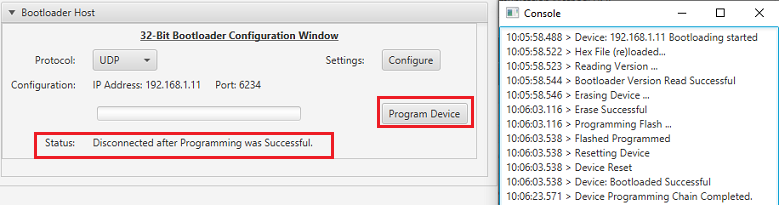
- Following figure shows output of
successfully programming the test application.
- Ignore the Device Reset Messages from the host tool. The Live Update application ignores the reset command received and waits for a switch press to update serial number and reset.
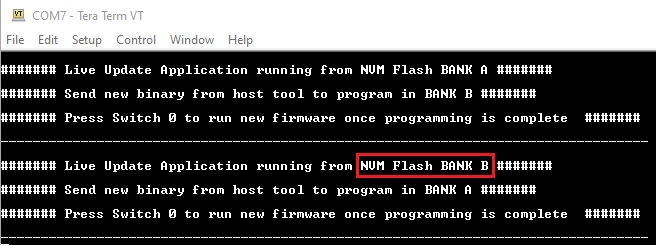
- Press the Switch SW0 to update
serial of Inactive Bank and trigger reset. The user should see below output on
success.
- This step shows that the new firmware programmed in BANK B is running which is mapped to lower region by switcher at reset
- Repeat Steps 10-12 for further updates and observe the Banks from which application is running at every update.
Configurations to Be Noted
Live Update Application
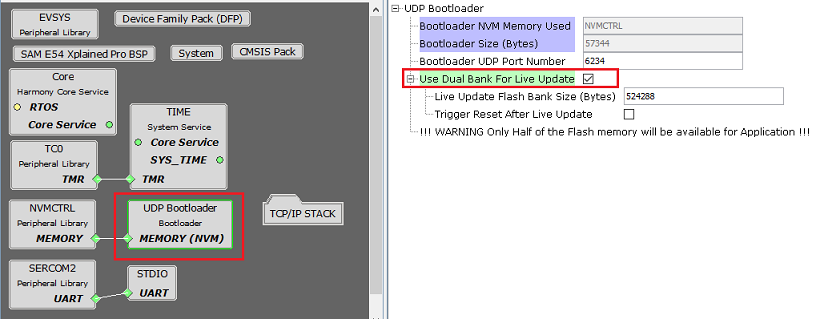
- Enable Live Update option to configure UDP bootloader in Live Update
mode
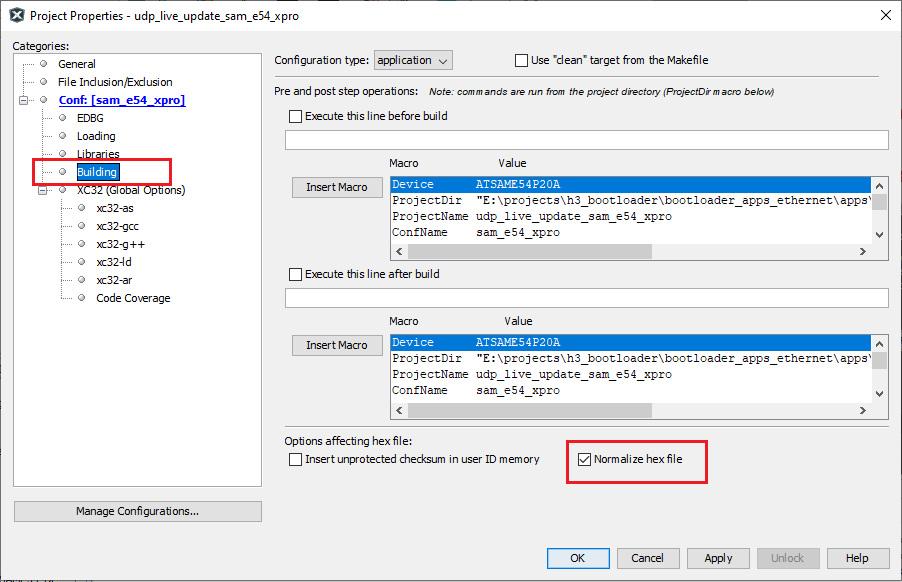
- Normalize hex file:
- Check the Normalize hex file option as shown below, as the Unified
bootloader host application takes hex file as an input. Normalizing
the hex file will ensure the data in the hex file is arranged
sequentially.
- Check the Normalize hex file option as shown below, as the Unified
bootloader host application takes hex file as an input. Normalizing
the hex file will ensure the data in the hex file is arranged
sequentially.