
6.2.1 Adding a Label to a Snapshot
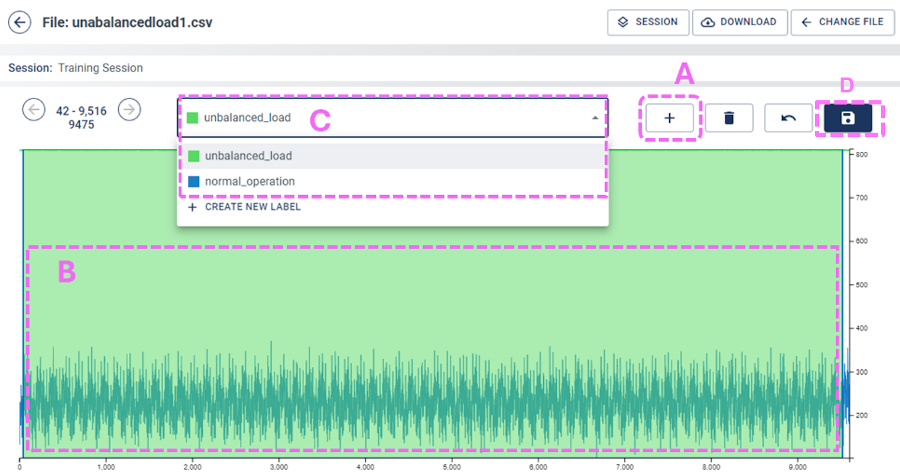
After clicking a captured data file or snapshot, the data are plotted similar to Figure 6-5.
Repeat the following steps for each data file that needs to be labeled:
- Click Create a New Segment (A).
- Select the range that a segment or label will
cover from measured data. In this example, from start to end is selected (B).
- Use the created labels for each of the files captured, either normal_operation or unbalanced_load.
- Select the label that the segment will be represented by (C).
- Save the changes (D).