8.2 Debug Tool Options Selection
To determine the name, values and description of all options that are available for the debug tool, in the command palette enter MPLAB: List tool options. First select PICkit Basic as the tool and second enter the project device. A list of options will be downloaded and displayed. As an example, scroll down to find the software breakpoints option.

To save the options list file to the project, click the white dot to close  and then
select Save. Give the file a name and then select Save again.
To add a selected tool option to the project , in the command palette enter MPLAB: Edit project properties (UI). In the UI, click on the Tool section.
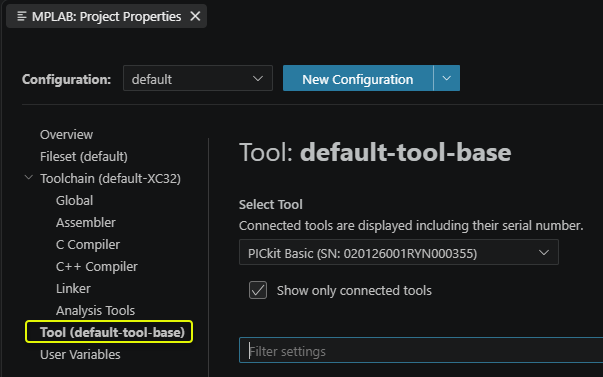
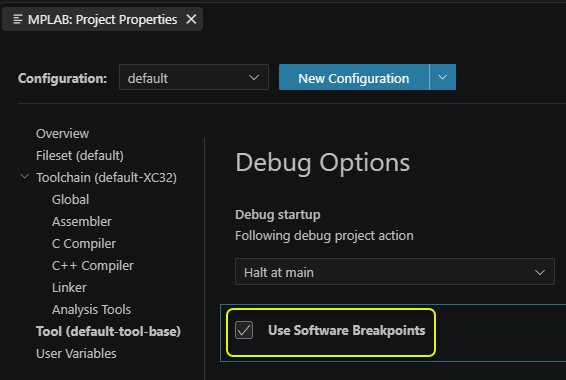
To find the example software breakpoints option, scroll down to Debug Options to find and select Use Software Breakpoints.
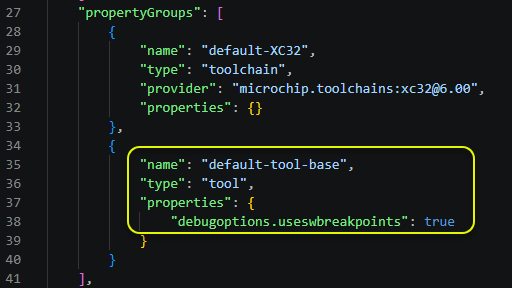
Close MPLAB: Project Properties and then open the project mplab.json file, if is it not already open. There is now a tool properties section specifying the state of the Use Software Breakpoints option for this project.