
1.4.3 Configuring the Library
The OSAL can be configured through the MCC. The following figure shows the MCC configuration window for configuring the OSAL and a brief description of various configuration options.
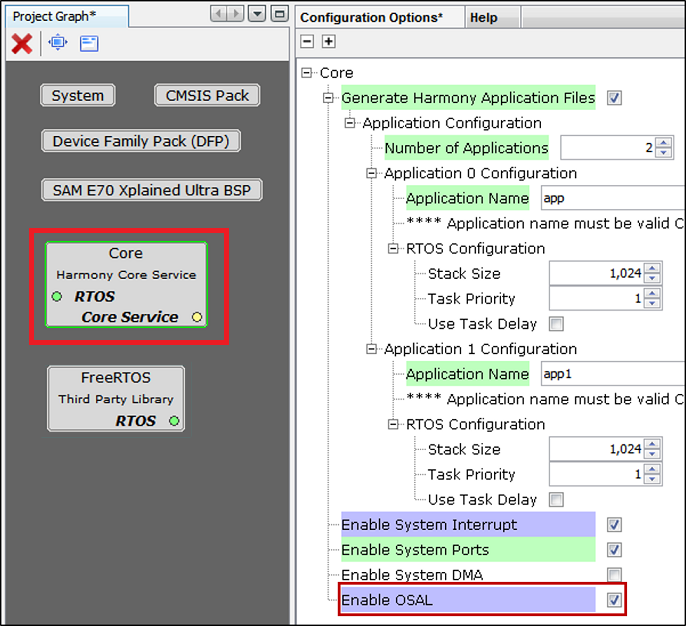
The OSAL can be enabled by the user in two ways:
User can manually enable OSAL which is part of Harmony Core component.
OSAL will get auto enabled and set to "BareMetal" when Middleware or any Driver is instantiated. If any Third-Party Library, i.e., RTOS is added then the respective OSAL Layer code will get generated.
For instance, if user instantiates FreeRTOS, then OSAL is set to
FreeRTOSandosal_freertos.ccode will get generated during code generation.