
1.7 Configuring the PIC32MZ WiFi Curiosity
Refer to the following image to see where to connect the cables.
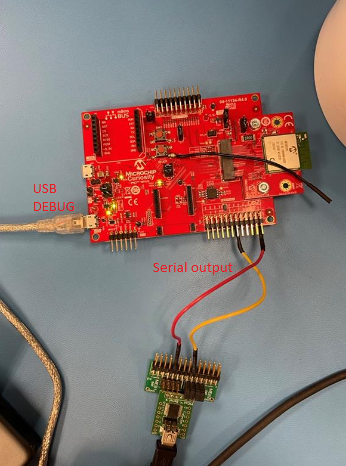
- Connect the micro USB cable to the USB debug port.
- Connect PICkit™ serial adapter to TX and RX ports of the GPIO header.
- Connect mini USB cable to PICkit™ serial adapter.