5 Enable/Disable Code Coverage
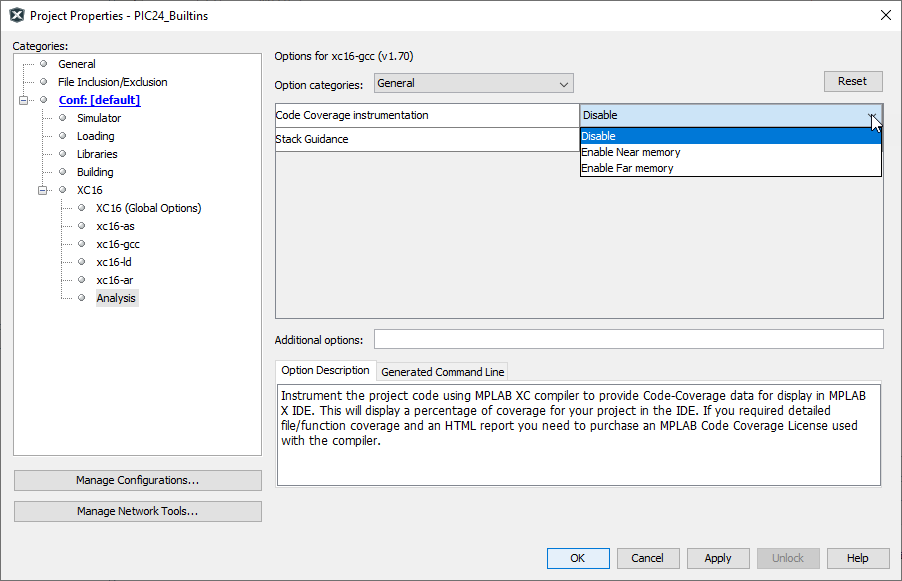
By default, Code Coverage is disabled. To enable code coverage, complete the following steps:
Open the Project Properties dialog, select > Code Coverage or you can right click on the name of your project in the Projects window and select Properties.
- Click on Analysis under Categories.
- Under the select your choice for Code Coverage Instrumentation. Selections differ for each MPLAB XC compiler (see the table below).
| MPLAB XC C Compiler | Enable Options | Description |
|---|---|---|
| XC8, XC32 | Disable | Disable code coverage. |
| Enable | Enable code coverage. | |
| XC16, XC-DSC | Disable | Disable code coverage. |
| Enable Near memory | Use Near RAM space for code coverage instrumentation (recommended). If there is a link error, then select Far. | |
| Enable Far memory | Use Far RAM space for code coverage instrumentation. |