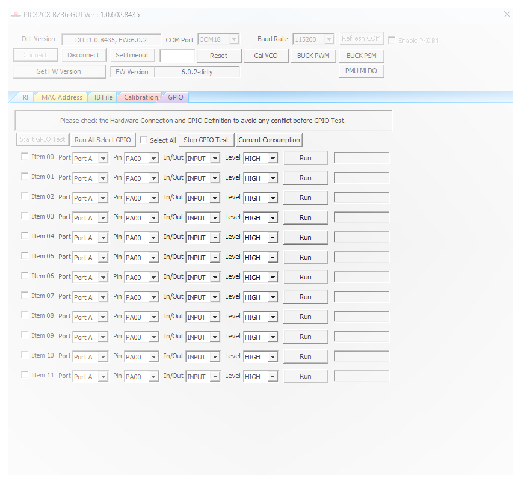
4.3.6 GPIO Demonstration
In this demonstration, the user can configure or test the GPIO of the PIC32CX-BZ36 using a PC with the installed MCHPRT3 tool.
In the GPIO tab, perform the following steps for the GPIO demonstration (see the following figure):
- Click Start GPIO Test to initiate the GPIO settings for configuration or test.
- Select Port, Pin, In/Out and Level to configure or test the GPIO pins.
- Click Run to apply the GPIO configuration.
- Repeat step 2 and 3 to perform a new GPIO configuration or test.
- Click Stop GPIO Test to stop the GPIO settings for configuration or test.
- Check the checkbox on each item to perform multiple GPIO configurations. Click Run All Select GPIO to apply all the selected GPIO configuration.