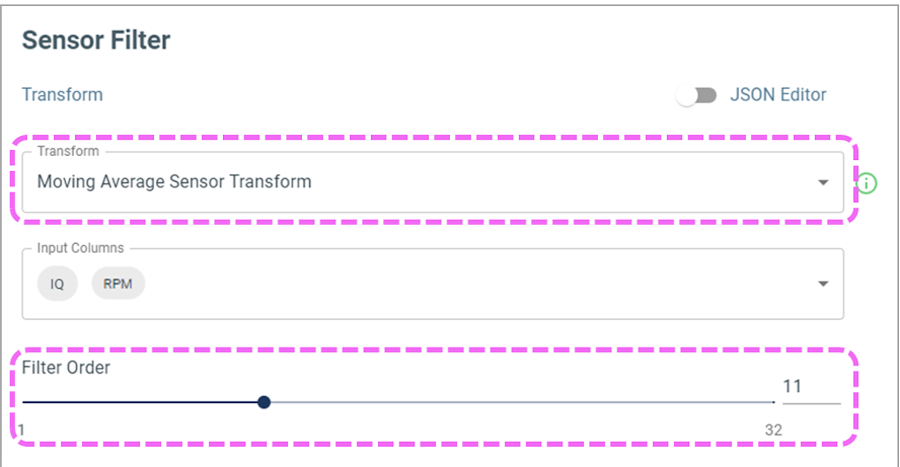
Ensure the configuration looks like Figure 7-8Figure 7-8. Sensor Recommended
Configuration
Save the sensor filter.
The online versions of the documents are provided as a courtesy. Verify all content and data in the device’s PDF documentation found on the device product page.