
1.3.2.3 Configuring the Library
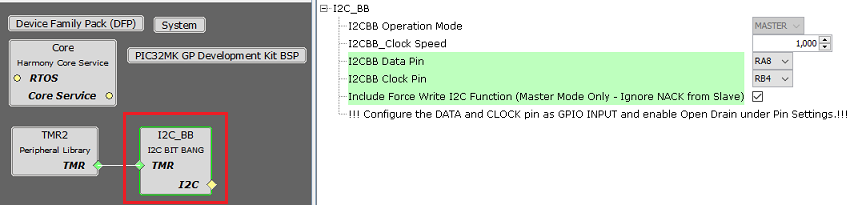
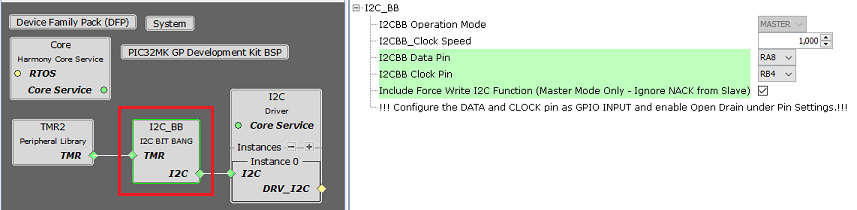
I2C Bit Bang Library should be configured via MCC. The following figures show the MCC configuration window for I2C Bit Bang and brief description.
I2C Bit Bang Configuration:
I2C Bit Bang Configuration With I2C Driver:
Configuration Options
I2CBB Operation Mode
Indicates the I2C mode used by the library
The I2C Bit Bang library only supports Host mode
I2CBB Clock Speed:
Specifies the I2C clock speed in Hz
I2CBB Data Pin:
Specifies the GPIO pin number to be configured as I2C Data Line
The specified pin has to be configured as GPIO input and open drain has to be enabled
I2CBB Clock Pin:
Specifies the GPIO pin number to be configured as I2C Clock Line
The specified pin has to be configured as GPIO input and open drain has to be enabled
Include Force Write I2C Function:
When enabled generates the I2C force write API which can be used to perform force writes to I2C client. The generated API ignores any NACK from client during the write.
Used in Host mode only.