
1.9.7.1 Using at91boostrap Loader With Harmony 3 MPU Bootloader
MPU harmony3 bootloaders are compiled and linked to execute from external DRAM memory that is available on the corresponding evaluation kit. This require all peripherals and clock leading to the DRAM memory to be configured prior to the application being programmed into DRAM. This is achieved using a bootstrap loader. AT91bootstrap loader is used for this purpose.
The user has deployed the following pre-built bootstrap binaries inside the bootloader application repositories. They can be found under deps folder at the root of the repository.
| Binary Name | Description |
|---|---|
| at91bootstrap.elf | Bootstrap which allows debug or run application using MPLAB X |
| boot.bin | Bootstrap which allows booting application using an SD/eMMC/NAND/Serial Flash media |
Configure a debug tool
-
Open the MPLAB X application that the user wants to debug or run in MPLAB X
-
Right click the application project and select properties. This will open the properties window. In the Configuration option>Connected Hardware Tool, select the debugger.
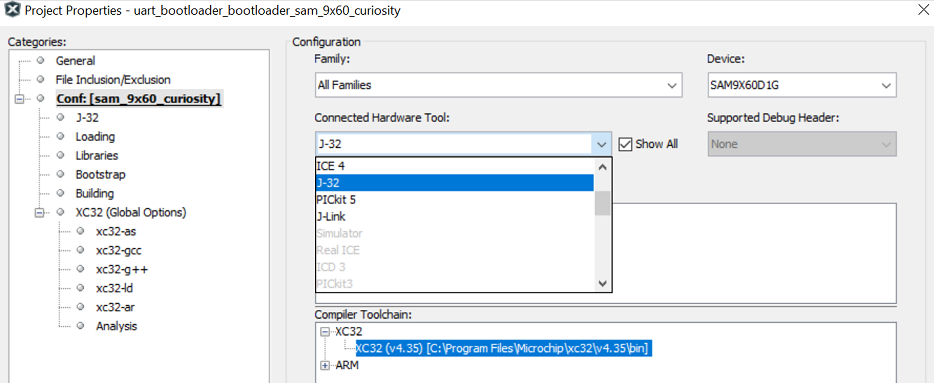 Note: If no debugger is connected, click "Show All" check box and select the supported debugger.
 -
Select the target toolchain and click Apply to save the changes
-
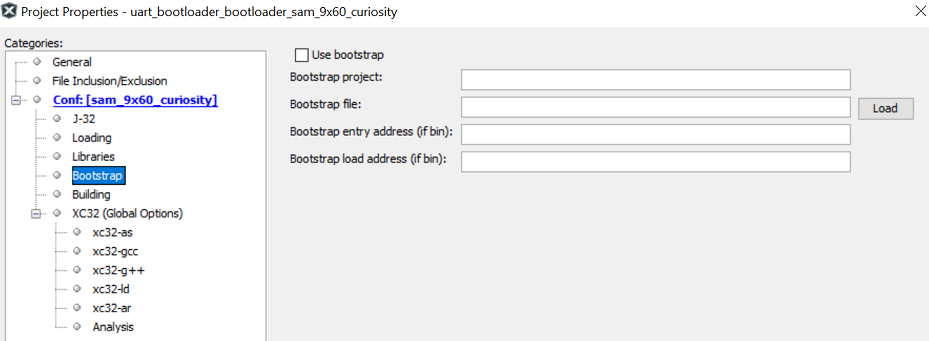
This will result in an additional menu option to be available in the configuration tree view called "bootstrap" as shown below:
Configure bootstrap
-
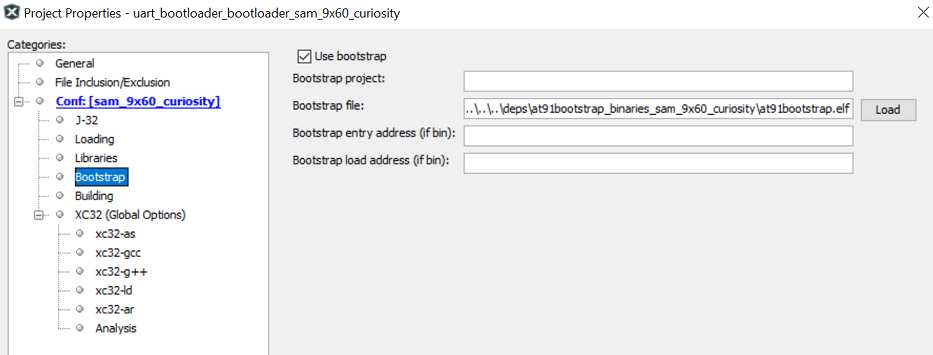
Click "Use bootstrap" check box to enable bootstrap support
-
Click the Load button to load the bootstrap file. This will open a file picker, which allows the user to choose the bootstrap binary file.
-
Navigate to the /deps/at91bootstrap_binaries_/ folder as explained in the previous section. The user should choose at91bootstrap.elf file (The Bootstrap entry address and the Bootstrap load address text box can be left empty as this information will be read from the ELF file automatically).
Run/Debug MPU bootloader using MPLAB X
- Stage 1: Loads the bootstrap loader into the internal SRAM and executes it. This will configure the board specific peripherals and memory.
- Stage 2: Loads the Harmony 3 bootloader into the external DRAM and debugs it. User can perform actions, such as setting breakpoints, single-stepping, etc.
When using MPLAB X to debug a Harmony 3 bootloader, the user will face the following limitations:
- Call stack is not fully supported yet. Therefore, stepping in and out of functions may not work correctly.