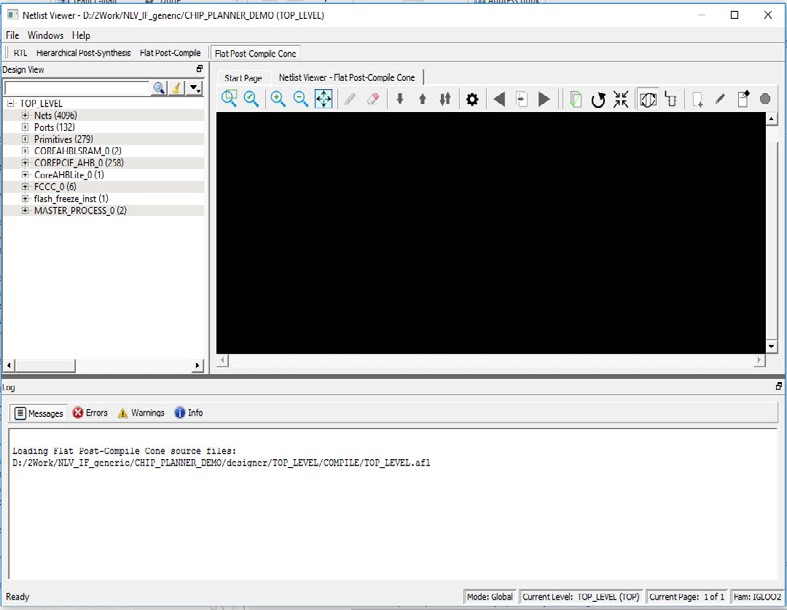
When the Flat Post-Compile Cone view has finished loading, unlike the other three views, nothing is drawn in the canvas.
Figure 4-3. Flat Post-Compile Cone View when Loaded— No Design Object Added
Opening a design in the Flat Post-Compile view may incur a runtime
penalty. This cone view loads the same AFL netlist source file as the Flat Post-Compile
view. However, this cone view, unlike the Flat Post-Compile view, draws nothing until
you select a part of the design you want to display. This reduces the runtime penalty
associated with drawing a large netlist for display.
This view is useful when a small or critical part of a very large
design needs to be examined. Design objects that can be selected for display in this
view include:
Nets
Ports
Macros
Components
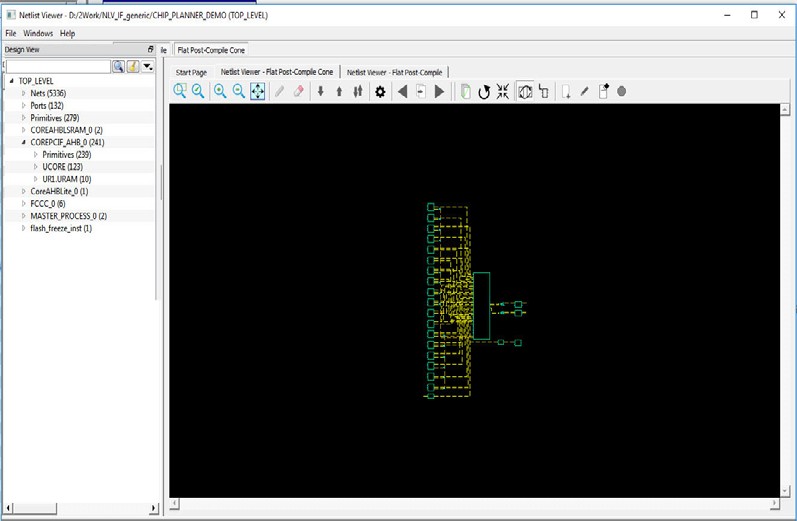
To display design objects in the Flat Post-Compiled Cone view,
right-click the design object (Nets, Macro, Ports, or Component)
in the Design Tree and select Load Selection. The design object
is added to the view.Figure 4-4. Flat Post-Compile Cone View—
Design Objects Added
The online versions of the documents are provided as a courtesy. Verify all content and data in the device’s PDF documentation found on the device product page.