
6.4.3 Running the Demo Example in Debug Mode
Ensure that the SD card contains only the config.json file. If boot.bin is present on the SD card, the board will try to boot from it after a reset sequence done by the debugger, preventing the application from executing correctly.
- Plug in the SD card.
In this example, we use the Segger J-Link as a debug probe.
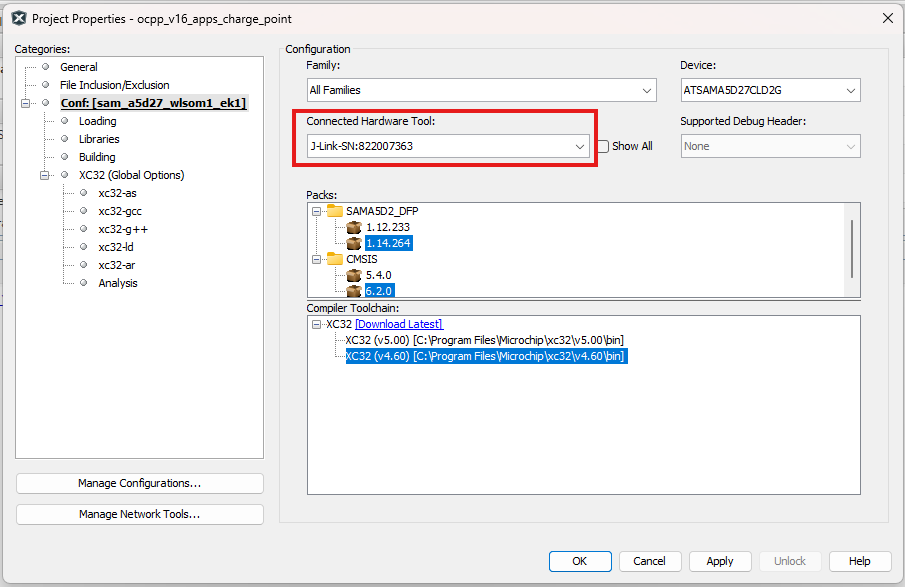
- In the project properties, ensure
that the JTAG/Debugger is properly connected to the target and configured as shown
below, then click Apply.
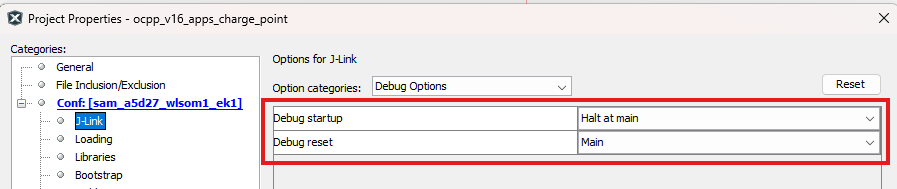
- Set up the Debug startup and
Debug reset options as follows, then click Apply, and then
OK:
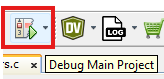
- Click Debug as shown
below.
- Run the demo application.