6.3.1 Host PC Setup
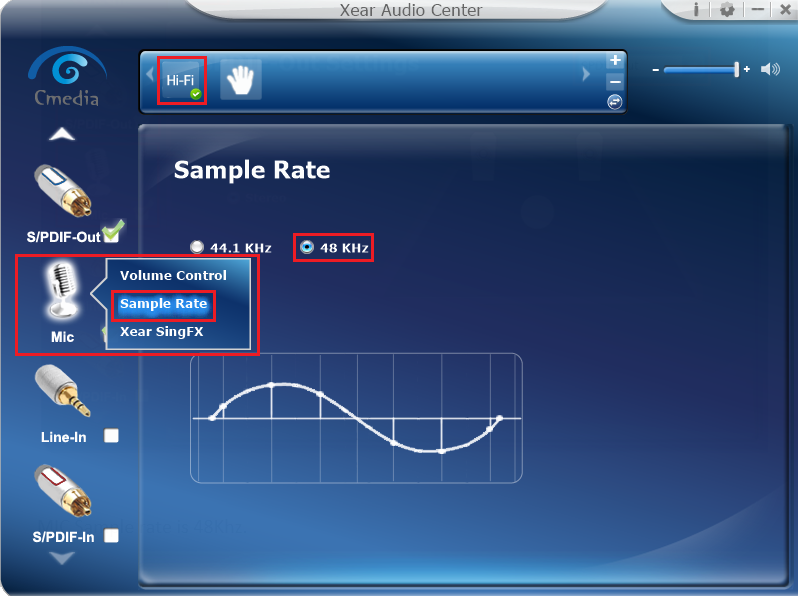
- Open the Xear audio center application and select the input and output options to configure the USB audio extender.
- Select the MIC as the input for
the USB audio extender in the application, set the sample rate to 48 kHz and
select the HiFi mode as shown in the following figure.
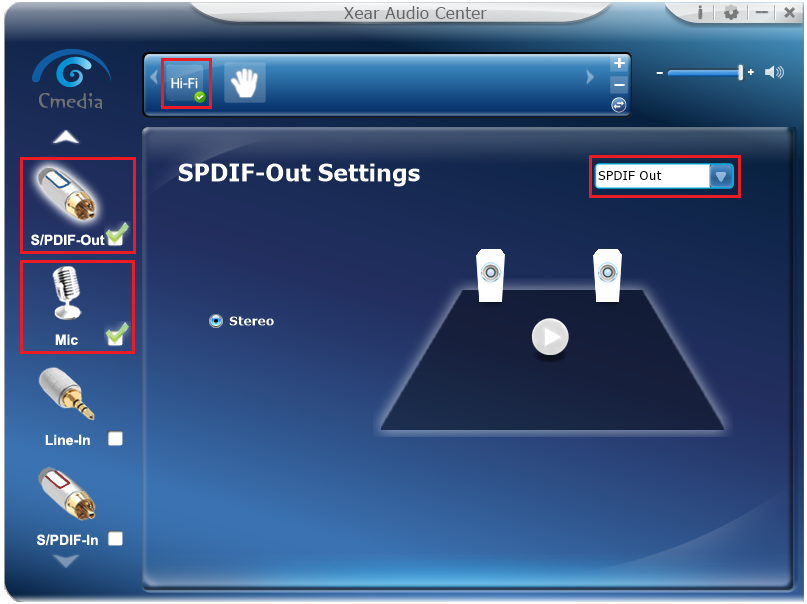
- Right click on S/PDIF-Out
and select SPDIF-Out Setting to configure SPDIF Out as the output
for the USB audio extender.
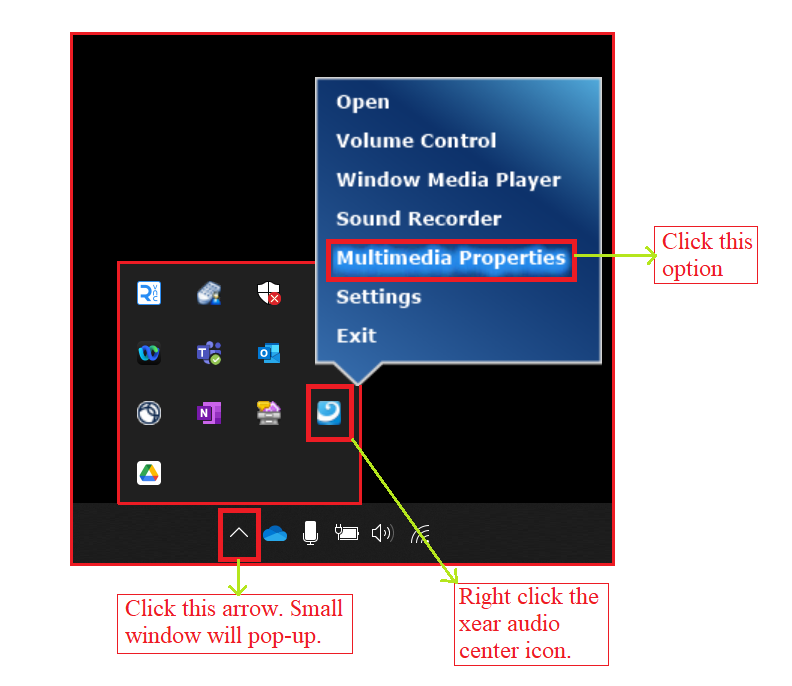
- Move to the lower-right corner of
the window and click on the upward-pointing arrow to reveal the hidden software
icons. Then, right-click on the Xear audio center icon and select
Multimedia Properties.Note: If the Xear audio center icon is not present, refer to the CM6206 Software_User_Manual_Xear_Audio_Center, available in the download folder.
- In the Media Properties page on
the Recording tab, ensure that Microphone is selected. Then, double click
Microphone to open the Microphone Properties dialog box.
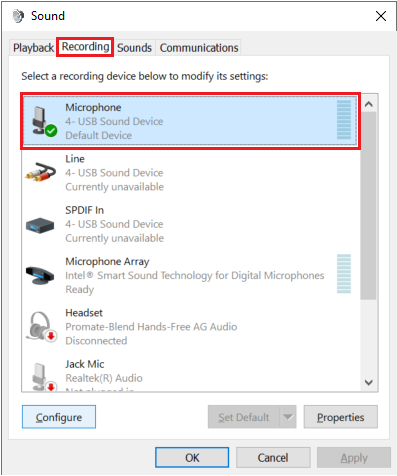
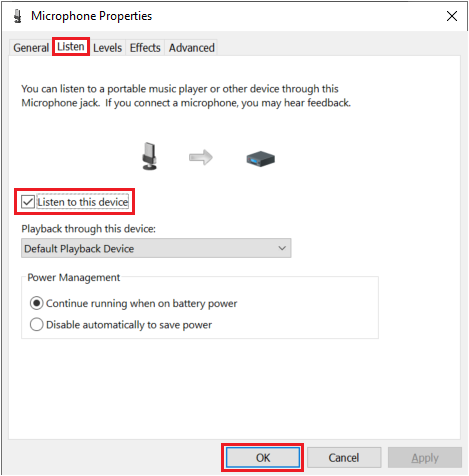
- In the Microphone
Properties window, go to the Listen tab. Then, enable the
Listen to this device feature by checking the corresponding checkbox
and click OK.
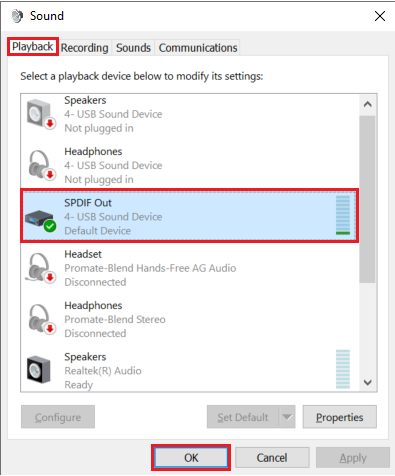
- In the Media Properties page on
the Playback tab, ensure that SPDIF Out is selected.