
2.6.6 Module Configuration
The composer panels for MCC Melody and Harmony differ in style and structure.
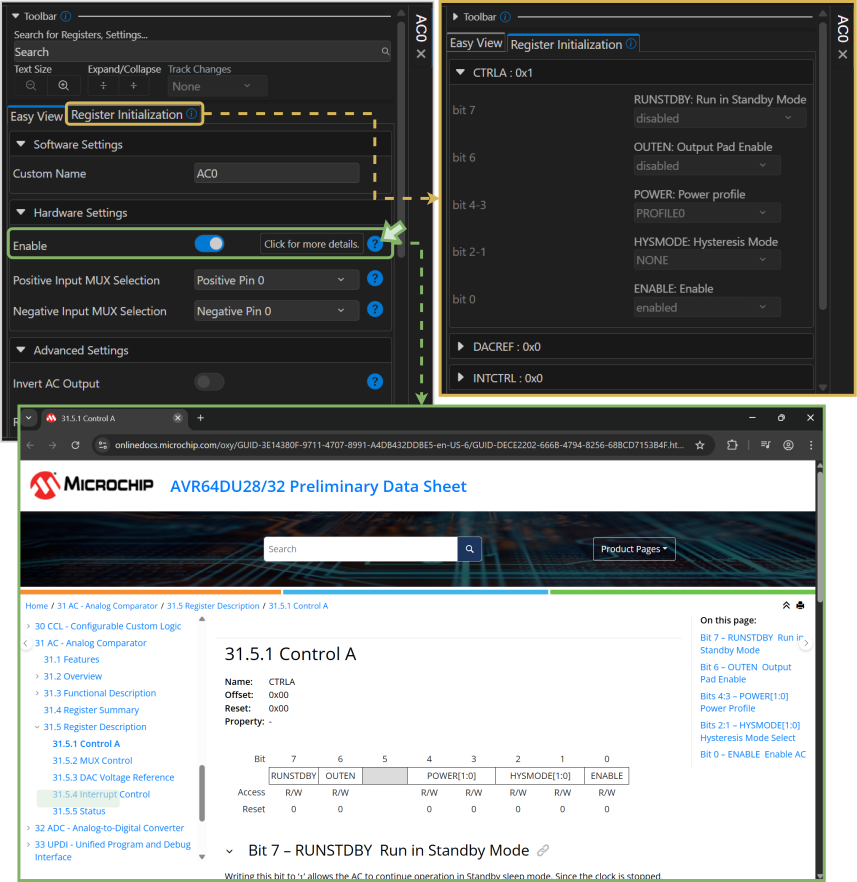
- MCC Melody uses collapsible UI groups with a toolbar that allows users to customize the view or search for keywords. UI fields include Help icons that users can click or hover over for more information. Peripheral drivers also feature Register Initialization views, providing a more accurate representation of the registers and their settings.
- MCC Harmony uses a collapsible list, with colors indicating which settings have been changed by default or through user configuration. Users can also hover over the UI fields to access additional information.
