
2.6.8 Code Generation
The generated file and folder structure varies between MCC Melody and Harmony, and also differs between MPLAB X IDE and MPLAB Tools for VS Code.
MPLAB X IDE
- MCC Melody generates source and
header files inside a folder named
mcc_generated_files, located within the project folder

- MCC Harmony generates source and header files inside a folder named src, which is located outside of the main project folder

Note: MCC Harmony warns users if it detects an existing
src folder outside the project folder. If this src
folder belongs to a different Harmony project, move the current project folder into a
different directory before generating code.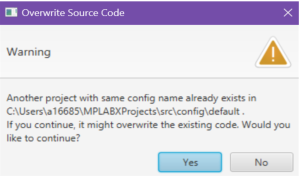
MPLAB Tools for VS Code
Inside the project folder, MCC generates a folder named after the MCC configuration
(e.g., My_MCC_Config), which contains another folder named
mcc. The structure of the contents within the MCC configuration
folder differs between MCC Melody and MCC Harmony.
- MCC Melody generates both the
mcc_generated_filesfolder and the MCC configuration metadata inside themccfolder

- MCC Harmony generates the
srcfolder inside the MCC configuration folder (e.g.,My_MCC_Config), and places the configuration metadata inside themccfolder
