The SAM C21 Xplained Pro Board is equipped with the SAMC21J18A microcontroller. The user
must correctly configure and program it by using Microchip Studio, according to the
following instructions:
Download and install the
Installer file from the Microchip webpage to get the Microchip Studio software.
After starting the IDE, the SAM
C21 Xplained Pro Board will be detected automatically.
Program the SAMC21J18A at first
with the required EEPROM configuration via fuse (see Configure EEPROM Size).
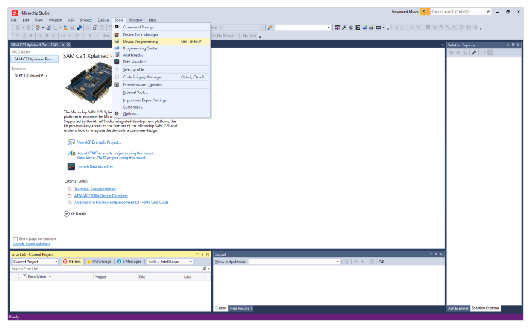
In the Microchip Studio window,
go to the Tools tab to open the programming dialog, then select Device
Programming or press <Ctrl> + <Shift> + <P>.
Figure 2-2. Open the Device Programming
Dialog
After setting and programming the fuses, each board must be programmed: one with the
prover and the other with the verifier software, before using it with the UWB Evaluation
GUI.
The online versions of the documents are provided as a courtesy. Verify all content and data in the device’s PDF documentation found on the device product page.