1.5 FAT File System Throughput Using SDMMC Media
This application calculates throughput by Writing and Reading data into an SD card at High Speed using the MPLAB Harmony File System and the SDMMC driver.
Description
Application Performs Below File System Operations and Throughput Calculations on SD Card
- Opens a file named
throughput.txtin the root directory of the SD card - Writes 10 megabytes of data to file in chunks of 64 kilobytes
- Once the operation is
completed it calculates the time taken and overall throughput for write in
megabytes/secondand displays on the console - Reads 10 megabytes of data from file in chunks of 64 kilobytes
- Once the operation is
completed it calculates the time taken and overall throughput for reading in
megabytes/secondand displays on the console - Closes the file once read is completed
- It then Glows an LED reporting success and the console will have throughput information for read and write operations
File System Layer Uses
- SDMMC Driver to communicate to SD card
Downloading and Building the Application
To clone or download this application from GitHub, go to the main page of this repository and then click Clone button to clone this repository or download as zip file. This content can also be downloaded using content manager by following these instructions.
Path of the application within the repository is apps/fs/sdmmc_fat_throughput/firmware.
To build the application, refer to the following table and open the project using its IDE.
| Project Name | Description |
|---|---|
| sam_e54_xpro.X | MPLAB X project for SAM E54 Xplained Pro Evaluation Kit |
Setting Up the Hardware
The following table shows the target hardware for the application projects.
| Project Name | Description |
|---|---|
| sam_e54_xpro.X | SAM E54 Xplained Pro Evaluation Kit |
Setting Up SAM E54 Xplained Pro Evaluation Kit
- To run the demo, the following additional hardware are required:
- One SD card
- The SD card should have at least 10 MB of free space for the demo to work
- One SD card
- Connect the Debug USB port on the board to the computer using a micro USB cable
Running the Application
- Open the Terminal application (e.g., Tera Term) on the computer.
- Connect to the USB to UART COM
port and configure the serial settings as follows:
- Baud: 115200
- Data: 8 Bits
- Parity: None
- Stop: 1 Bit
- Flow Control: None
- Build and program the application using its IDE.
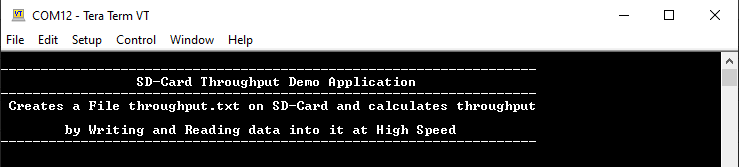
- Following message is output on console:
- Insert the SD card in the SD card slot of the device.
- The LED is turned ON if there was
no error during the file operations.Refer to the following table for LED name:
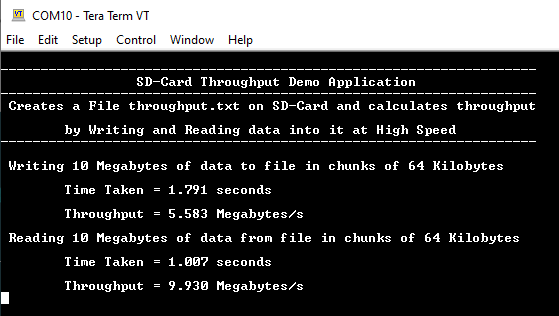
Board LED Name SAM E54 Xplained Pro Evaluation Kit LED0 - Calculated throughput values are
displayed on console as below:Note: The values shown in the below output may differ slightly when the demo is run.