
9.10.3 Remove Controller Password
This operation removes the currently configured controller password. After removal, encrypted logical devices no longer require a controller password to come online at boot. A maxCrypto Crypto Officer (Admin) session is required and the controller must not be in the locked state.
To remove the controller password:
- In the Enterprise View, select a system, then select a controller on that system.
- On the ribbon, in the Controller group, click Security Settings.
- In the Set maxCrypto
Configuration window, click the Additional
Settings tab.
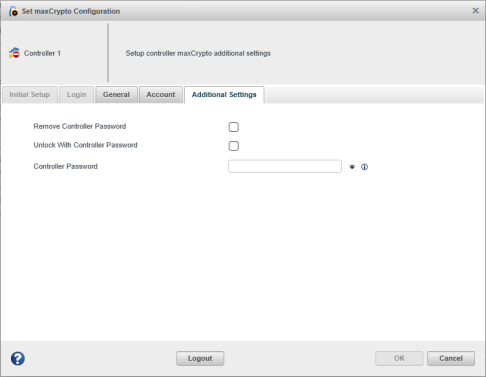
- Select the Remove Controller Password check box.
- Click OK.
A confirmation warning is shown before the operation is performed.
After the operation, the Security tab displays the Controller Password property as Not Configured.