
9.10.4 Unlock With Controller Password
When a controller boots with a configured controller password, encrypted logical devices remain offline. Use the Unlock With Controller Password operation to enter the password and bring the encrypted logical devices online.
To unlock with controller password:
- In the Enterprise View, select a system, then select the locked controller on that system.
- On the ribbon, in the Controller group, click Security Settings.
- In the Set maxCrypto
Configuration window, click the Additional Settings
tab. The Unlock With Controller Password check box is visible only
while the controller is in the locked state.
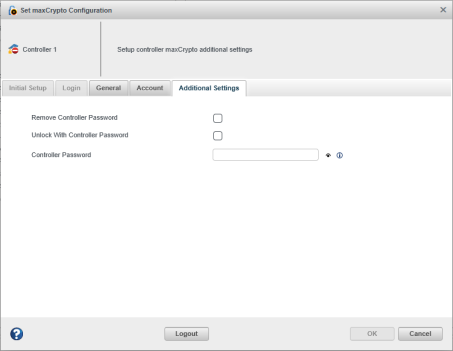
- Select the Unlock With Controller Password check box.
- In the Controller Password field, enter the configured controller password.
- Click OK.
The Controller Password Unlock Attempts Remaining counter decrements on each failed unlock. When the counter reaches zero, the Unlock Controller Password check box is disabled. Restart the server to reset the counter.