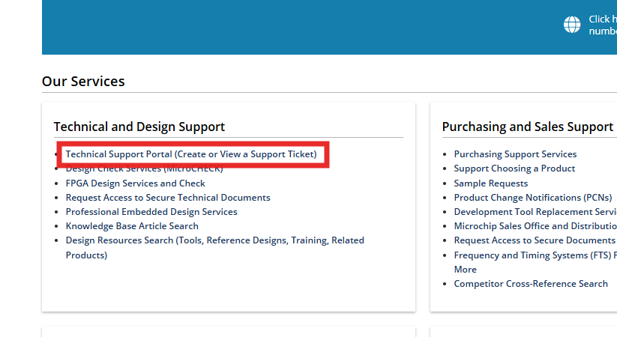
Go to Technical Support on Microchip.com.Figure 2-1. Open a myMicrochip Support Case
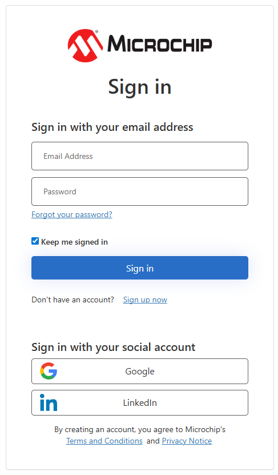
Create a new myMicrochip account or log in to an existing account.Figure 2-2. Log into myMicrochip
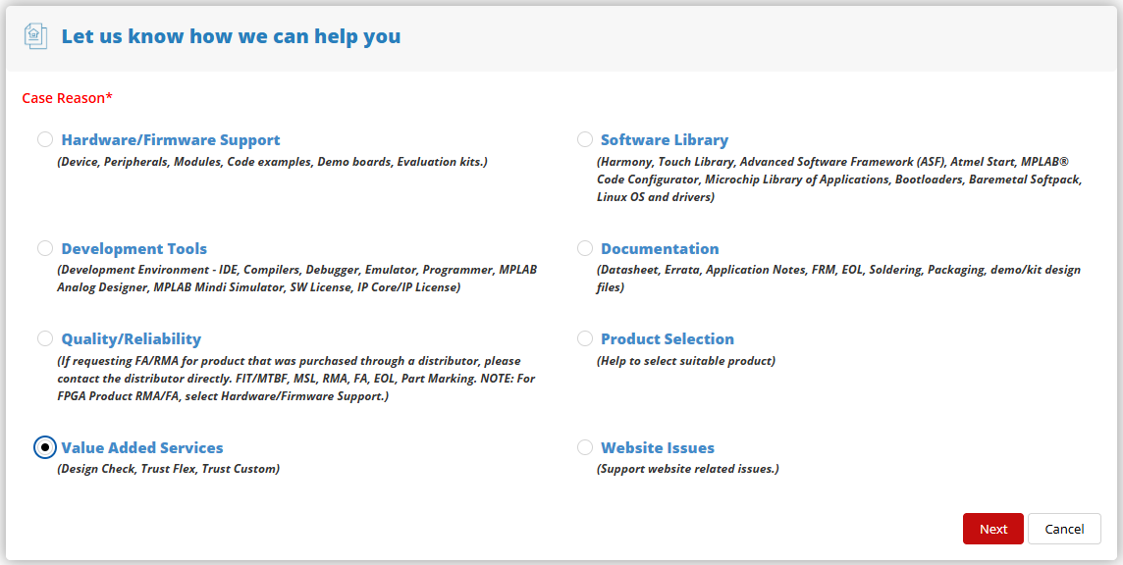
In the "Let us know how we can help you" section select:
Value-Added Services
Click Next.Figure 2-3. Select Value Added Services
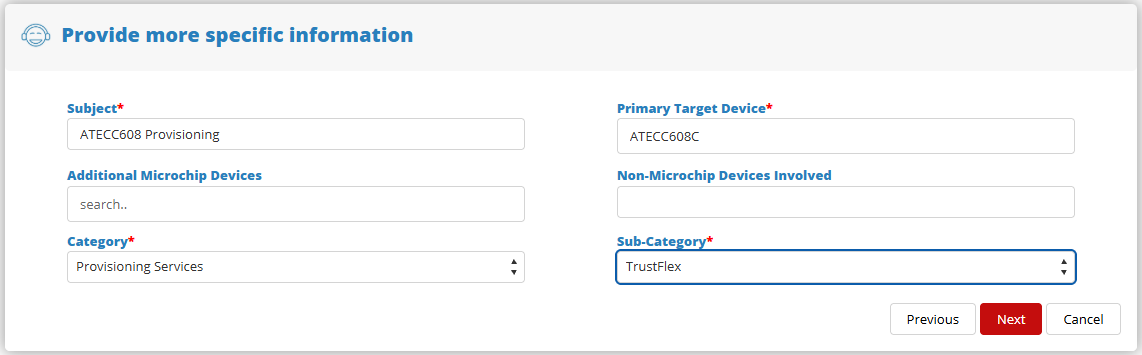
In the "Provide more specific information" section, enter the following:
Subject: Provisioning the secure IC in the primary target device
Device: Secure IC (plain device number)
Additional Microchip Devices: Optional
Non-Microchip Devices Involved: Optional
Category: Provisioning Services
Subcategory: Provisioning flow selected in the questionnaire (TrustFLEX or TrustCUSTOM)
Click Next.Figure 2-4. Device and Provisioning Flow Selection
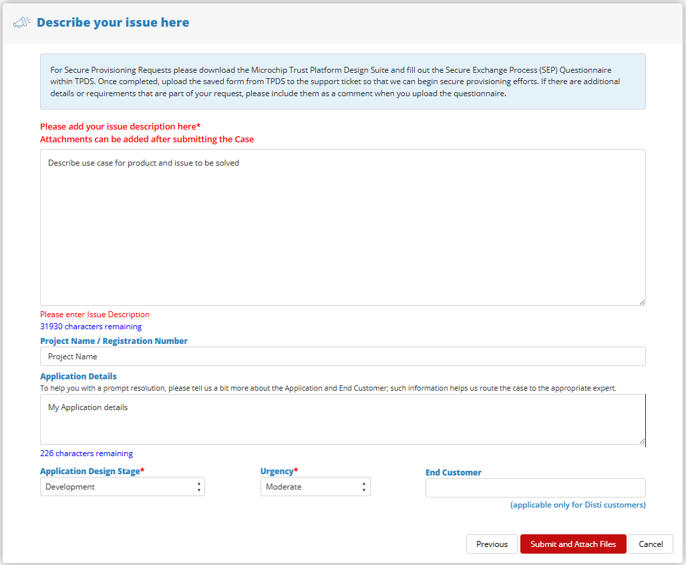
In the "Describe your issue here" section, provide:
Project details
Devices to be provisioned
End-application description
Click Submit and Add Attachments.Figure 2-5. Input Application Details
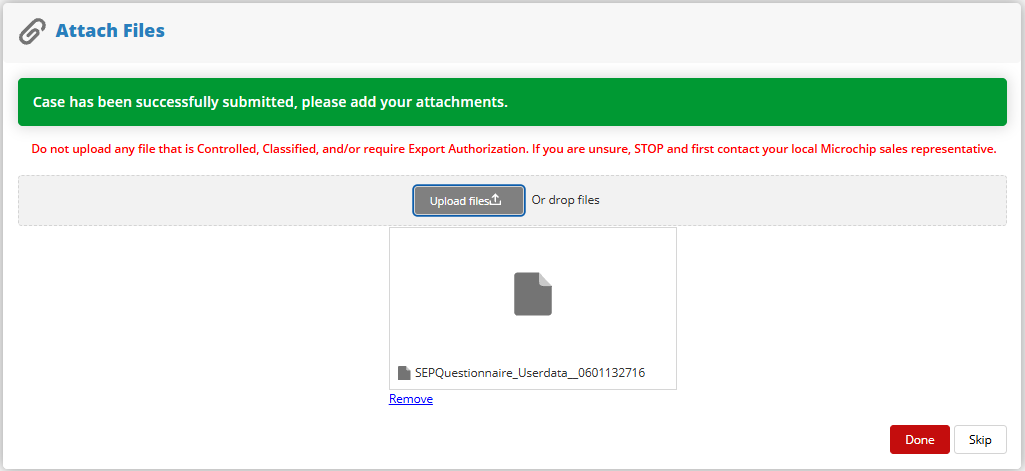
Attach the downloaded Secure Exchange Questionnaire and click Done.Figure 2-6. Attach Questionnaire File
DS50004144A
The online versions of the documents are provided as a courtesy. Verify all content and data in the device’s PDF documentation found on the device product page.