
3 Interacting with Power Board Visualizer
This section introduces the Power Board Visualizer User Interface (UI) and its various elements. For details on how to configure these elements, refer to the corresponding sections in the Creating a New Project section.
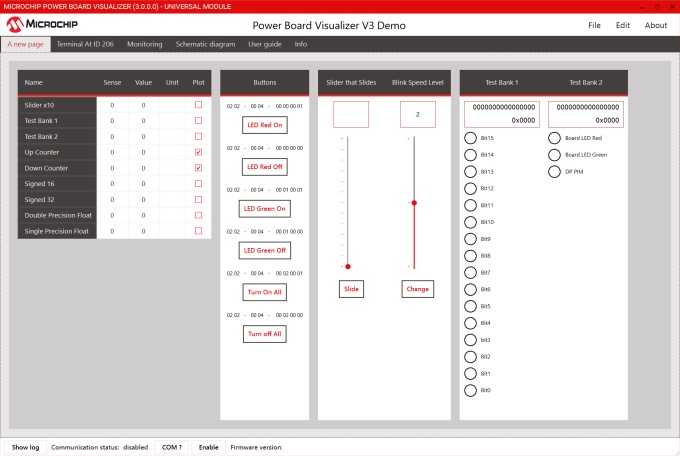
In Figure 3-1, you can see the UI elements enumerated. They are:
- Name of the project
- Menu options
- Various tabs including Pages. In this example, Can Counter and UART are pages.
- Table Row section
- Buttons section
- Slider section
- Status Group section
- Show Log button. Click here to see the raw data received by Power Board Visualizer
- Communication port enable and disable.
- Firmware Version section