
5.3 Xplained Pro Connections
Some Microchip development boards support only the Xplained Pro extension headers. By using an adapter board, the 2-lead XSFN socket board can still be used. The figure below illustrates the complete assembly of the 2-lead XSFN socket board, the ATMBUSADAPTER-XPRO and an ATSAMD21-XPRO Development board.
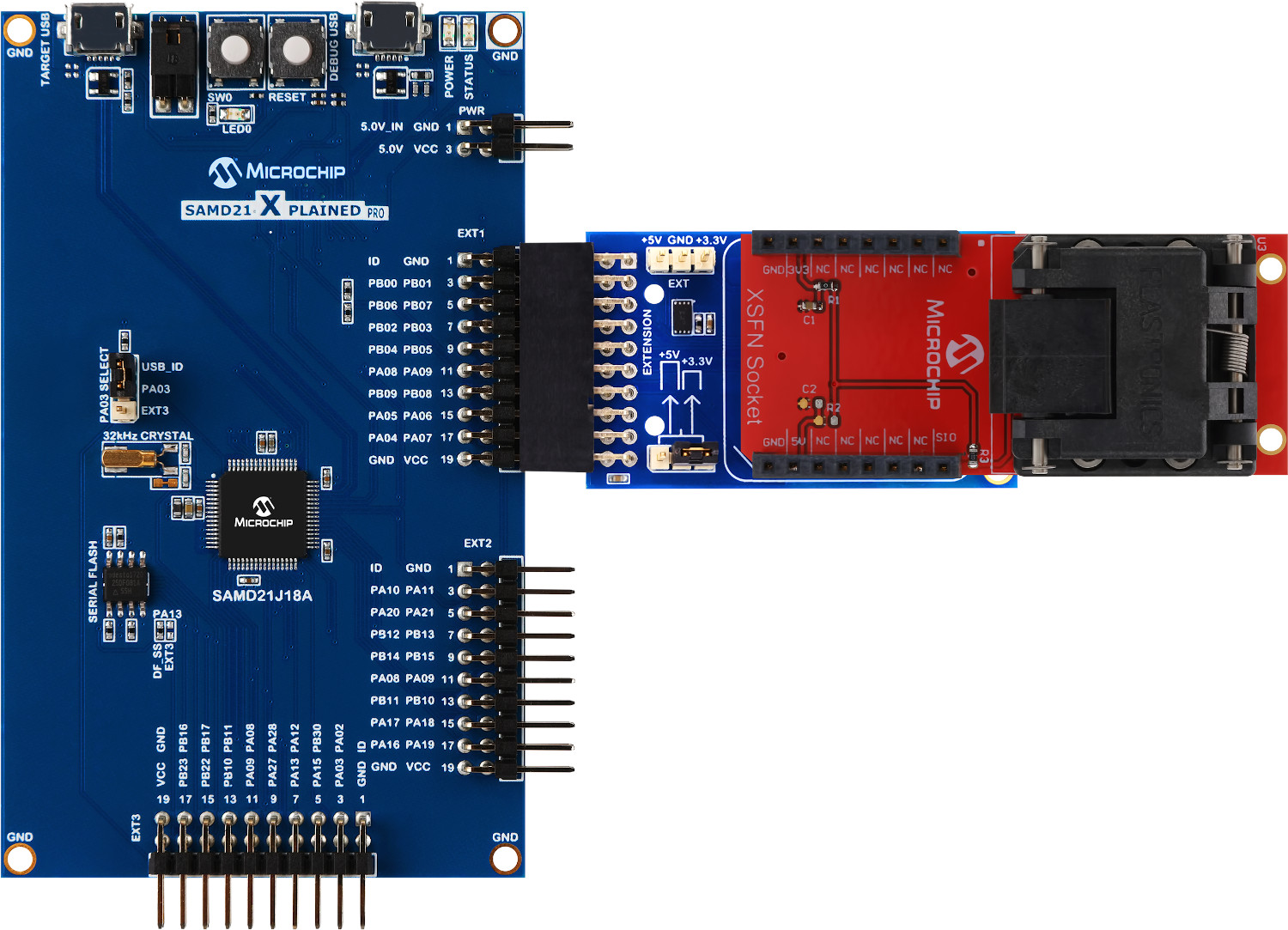
How to Connect the 2-Lead XSFN to an Xplained Pro Host Board
- Configure the EV14Y33A board to the desired mode, as specified in Modes of Operation.
- Attach the ATMBUSADAPTER to the 2-lead XSFN as shown in Figure 5-3.
- Connect the combined ATMBUSADAPTER and 2-lead XSFN to one of the XPRO extension connectors on the host board. EXT1 is used in Figure 5-3.
- Connect USB cables to both the TARGET USB Port and the DEBUG USB Port, and then to the host system.
- Launch the appropriate software development tools for your application.
Important: The EV14Y33A
kit must be connected to EXT1 to support the SWI-PWM protocol.