
5.1 CryptoAuth PRO Trust Platform Connections
The 2-lead XSFN features a dedicated SWI-PWM connection through the mikroBUS™ header, allowing it to interface directly with the mikroBUS host header on the PRO Trust Platform or any PIC®/AVR®/SAM MCU host development board equipped with a mikroBUS header. On the PRO Trust Platform, the SWI-PWM connection is always routed to the host microcontroller.
Connecting the 2-Lead XSFN to the CryptoAuth PRO Trust Platform
- Configure the EV14Y33A board to the desired mode, as described in Modes of Operation.
- Set the switches on the
CryptoAuth PRO Trust Platform to disable the on-board devices. Note that the
SW500_1 switch will have no effect on this mikroBUS board. This setting is
highlighted in bold and italic below:
Switch Settings What is Enabled SW500_1 SW500_2 mikroBUS™ Header On-Board Devices N/A ON Yes Yes N/A OFF Yes No - Connect the two boards as shown
in the following figure.
Figure 5-1. EV14Y33A Connected to a CryptoAuth PRO Trust Platform Development Board 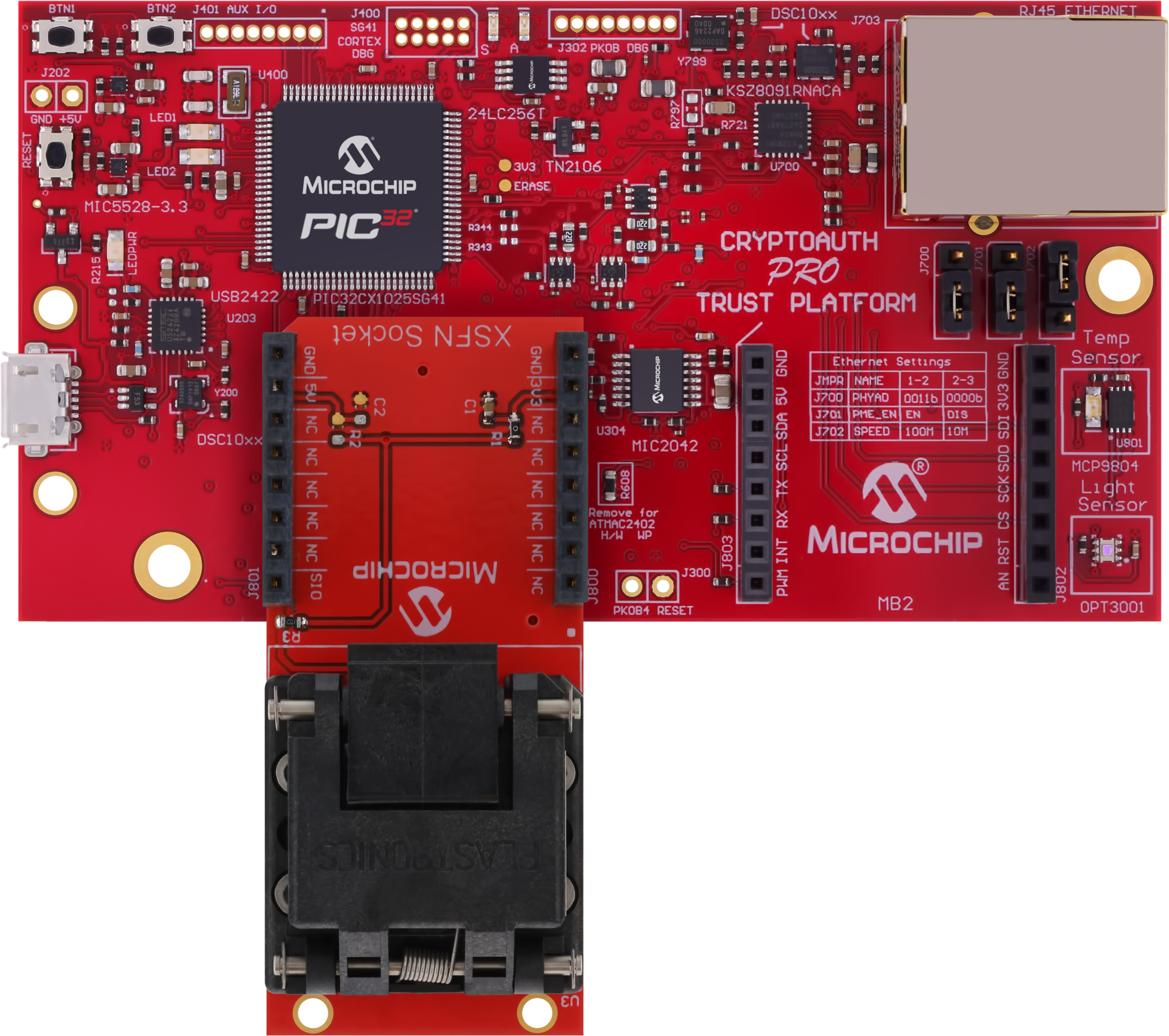 Remember: The angled notch on the 2-lead XSFN must be aligned with the angled line on the silk screen near the mikroBUS connector.
 - Connect a USB cable between the CryptoAuth PRO Trust Platform and the host system where the software is being developed.
- Launch the appropriate software tools for your application or use case.