
6.2.2 ALSA Testing Procedure
- Ensure the TOSLINK optical cable is connected at one end to SAMA7G54-EK SPDIF TX and at the other end to SPDIF-In on the USB audio extender, as explained in Hardware Setup.
- To check the SPDIF TX audio
device card number and device number, use the following command:
 $ aplay
                        -l | grep spdiftx
In the capture below, the card number is 0 and the device is 6.

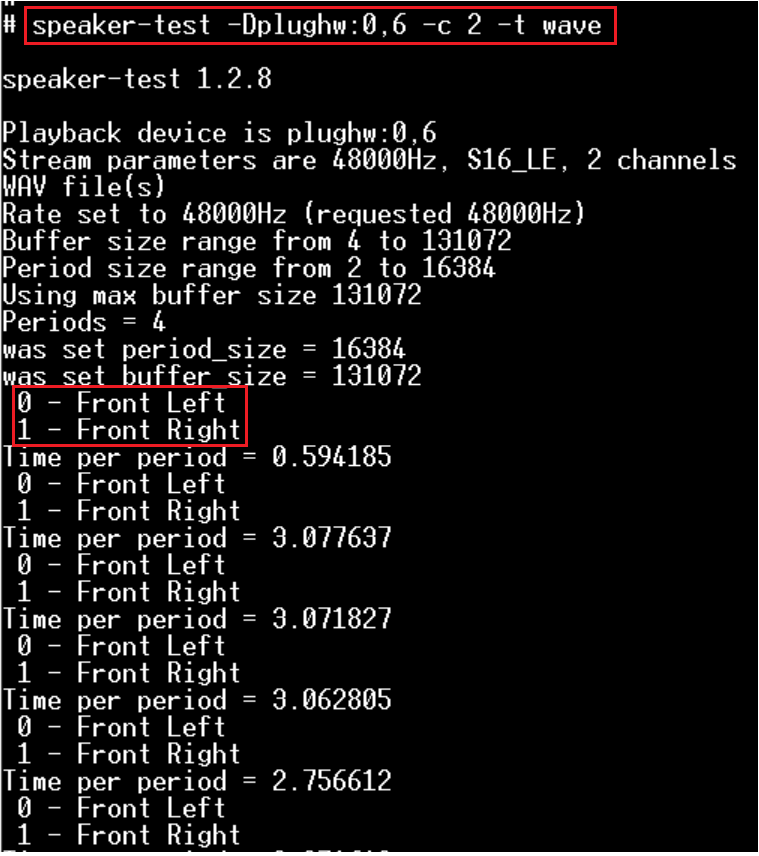
- To test the SPDIF TX using the
speaker-test command:
 $ speaker-test -Dplughw:0,6 -c 2 -t
                        wave
Listen to the audio data, making sure it can be heard on the Front left and Front Right audio channels.
- Play the .wav file transmitted
through the SPDIF TX interface using the following command:
 $
                        aplay -Dplughw:0,6 -r 48000 -c 2 -f S16_LE pdmc.wav
In this capture, pdmc.wav is an input audio file.
