
7.1 Integrating the Custom MIPI Display Module
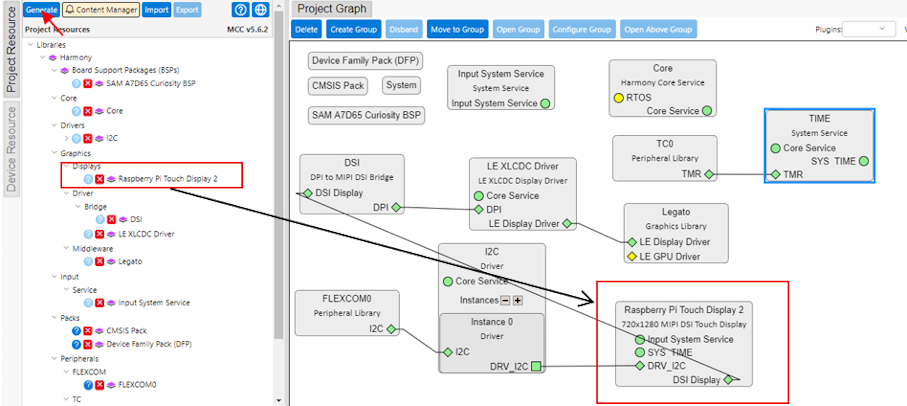
Relaunch MCC. Here, the Graphics > Displays > Raspberry Pi Touch Display 2 module is configured from the project resources in MCC. Connect the display with its dependencies and generate the code.
Relaunch MCC. Here, the Graphics > Displays > Raspberry Pi Touch Display 2 module is configured from the project resources in MCC. Connect the display with its dependencies and generate the code.
The online versions of the documents are provided as a courtesy. Verify all content and data in the device’s PDF documentation found on the device product page.